- Mark as New
- Bookmark
- Subscribe
- Mute
- Subscribe to RSS Feed
- Permalink
- Report Inappropriate Content
01-27-2017 09:53 AM
I am very new to SN and have a very newbie question. I am looking at the User list and I want to only see the users that are in an assignment group with a name that starts with "LMS". I know I need to use dot walking and have read up on it, but I'm finding that if you don't know what field to start at its' hard to dot walk to the right place. Can someone tell me a) how do I build this particular filtered list and b) is there a resource somewhere that would tell me what field to start my dot walk from? Or, am I even starting in the right place with the user list to get what I need? Do I need to use a report? I tried that too but still have the same issue of not knowing where to start my walk from. I would greatly appreciate the help! Seems like the simplest of things stymie right now...
Thanks!
Solved! Go to Solution.
- Labels:
-
Reporting

- Mark as New
- Bookmark
- Subscribe
- Mute
- Subscribe to RSS Feed
- Permalink
- Report Inappropriate Content
01-27-2017 10:18 AM
Hi Christie,
Welcome to the world of ServiceNow and the community... you'll soon be flying around the tool Im sure.
To help you with your question, SN has a table which provides this list of data you require out of the box - 'Group Members' (underlying table name: sys_user_grmember)
How and where are you wanting to display this list?
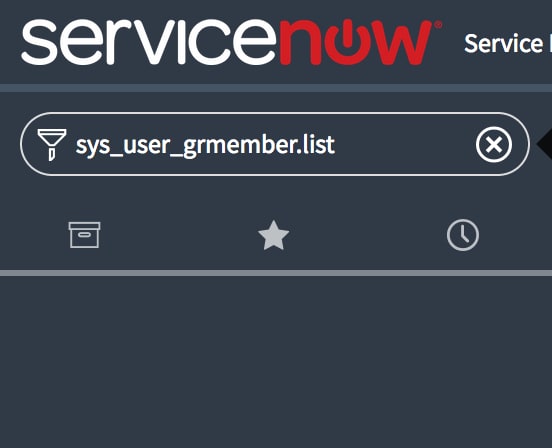
You can navigate to this table by typing the table name + '.list' in the 'Filter navigator' (So in our case sys_user_grmember.list) and hit enter.

Use the 'Filter' to provide the list or data required

Result:

Reports work exatly the same with regards to using the Filter to help you display the data you require. The key is just knowing what table to use and the relationship between tables/data

- Mark as New
- Bookmark
- Subscribe
- Mute
- Subscribe to RSS Feed
- Permalink
- Report Inappropriate Content
01-27-2017 10:13 AM
I would suggest you look at or report on the sys_user_grmember table. That contains Users assigned to Groups. Then you can filter that table to get desired results.
- Mark as New
- Bookmark
- Subscribe
- Mute
- Subscribe to RSS Feed
- Permalink
- Report Inappropriate Content
01-27-2017 10:18 AM
Hi Christie,
Welcome to the world of ServiceNow and the community... you'll soon be flying around the tool Im sure.
To help you with your question, SN has a table which provides this list of data you require out of the box - 'Group Members' (underlying table name: sys_user_grmember)
How and where are you wanting to display this list?
You can navigate to this table by typing the table name + '.list' in the 'Filter navigator' (So in our case sys_user_grmember.list) and hit enter.
Use the 'Filter' to provide the list or data required
Result:
Reports work exatly the same with regards to using the Filter to help you display the data you require. The key is just knowing what table to use and the relationship between tables/data
- Mark as New
- Bookmark
- Subscribe
- Mute
- Subscribe to RSS Feed
- Permalink
- Report Inappropriate Content
01-27-2017 10:29 AM
Thank you so much, Michael and Robbie! This is my first ever post to any community forum and I'm very impressed! I'm so used to opening HI tickets and having to wait (usually not very long, but still...). This immediate response is fantastic! I don't know what the protocol is here. Michael, your answer was correct, but Robbie, your answer was more helpful as I'm a sucker for a screen print. Am I supposed to mark the first correct answer as THE answer - is it a race? Or can I mark one that was most helpful for a newbie as THE answer? I'm asking because based on this experience I expect I'll be in here a lot now.
BTW, is there a good resource for understanding the tables and their relationships?
Thanks again!!
- Mark as New
- Bookmark
- Subscribe
- Mute
- Subscribe to RSS Feed
- Permalink
- Report Inappropriate Content
01-27-2017 10:33 AM
Mark whichever answer best answers your question and not necessarily the first response, right or wrong. You getting help is most important.