How to create report to view Incident SLA due for breach?

- Mark as New
- Bookmark
- Subscribe
- Mute
- Subscribe to RSS Feed
- Permalink
- Report Inappropriate Content
06-22-2015 07:51 AM
I want to create report to view incidents for which SLA (P1, P2, P3 & P4) is about to expire or breach along with due date & time. I want to share this report with my internal management group on daily basis. If anyone can guide me steps how to create this report, that will be great help.
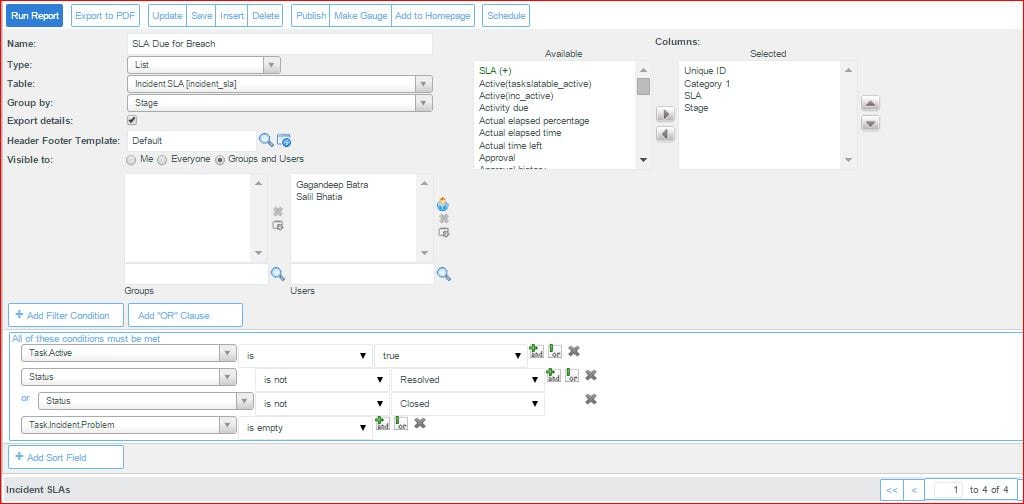
I have created report but it is giving me stage wise SLA due data. I am not sure whether this is giving me required input or not. Please find screenshot of my query and output.
Regards,
Rahul
- Labels:
-
Performance Analytics
- Mark as New
- Bookmark
- Subscribe
- Mute
- Subscribe to RSS Feed
- Permalink
- Report Inappropriate Content
06-22-2015 08:05 AM
Add following fields and check
has breached
Business elapsed percentage.
- Mark as New
- Bookmark
- Subscribe
- Mute
- Subscribe to RSS Feed
- Permalink
- Report Inappropriate Content
06-23-2015 02:52 AM
Hi Deepak,
I have tried this but no working or not giving required out put. If you can provide me query along with conditions then i am able to recheck and then confirm the result.

- Mark as New
- Bookmark
- Subscribe
- Mute
- Subscribe to RSS Feed
- Permalink
- Report Inappropriate Content
06-22-2015 08:06 AM
I think you're going to need a criteria that defines "about to expire". An adequate one might be "business time left < 1 day" or maybe "Planned End Time on Today".
The "Business Time Left" may not work if your SLA isn't associated with a Schedule.
- Mark as New
- Bookmark
- Subscribe
- Mute
- Subscribe to RSS Feed
- Permalink
- Report Inappropriate Content
06-23-2015 02:50 AM
Thanks for your reply but as I am using service now first time i need to know how to define criteria and how to check SLA is associated with a Schedule so "Business Time Left" may work.