- Mark as New
- Bookmark
- Subscribe
- Mute
- Subscribe to RSS Feed
- Permalink
- Report Inappropriate Content
03-10-2025 12:02 AM
Hi All,
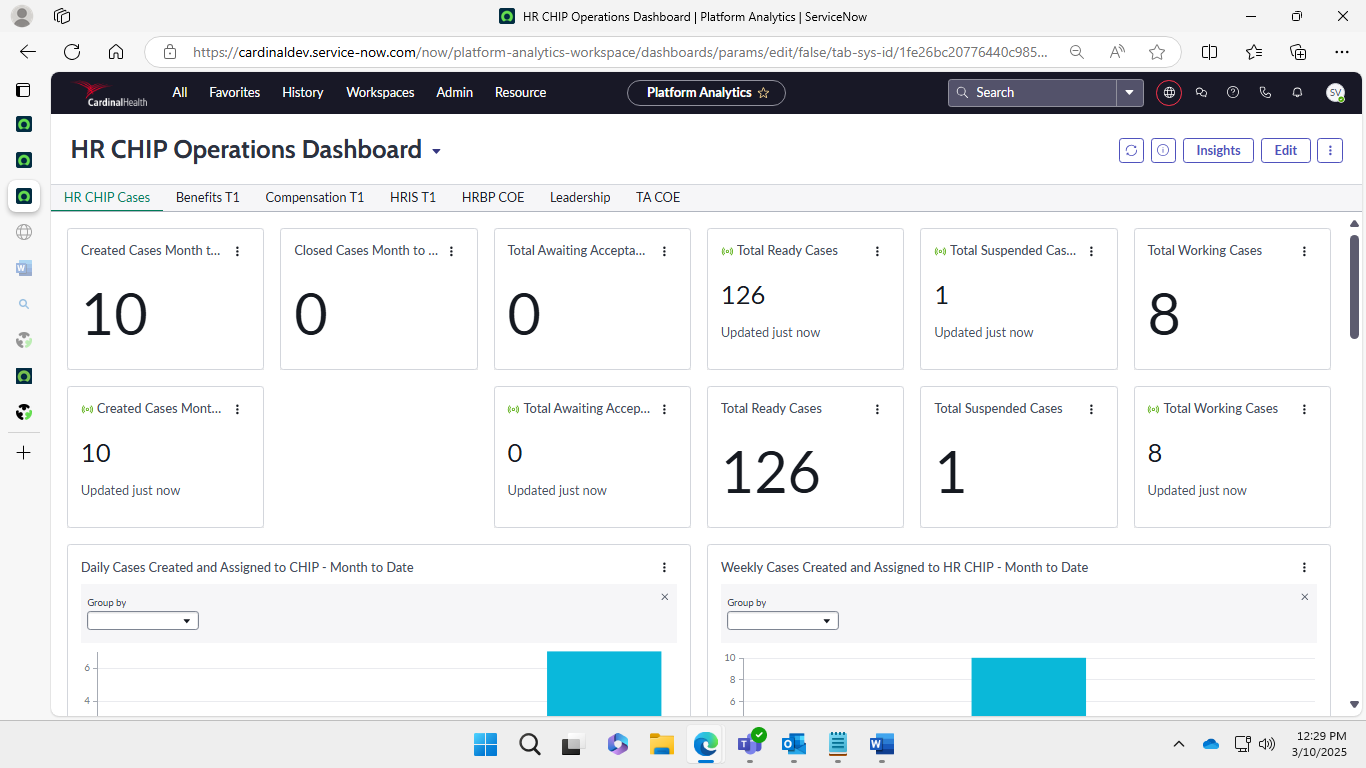
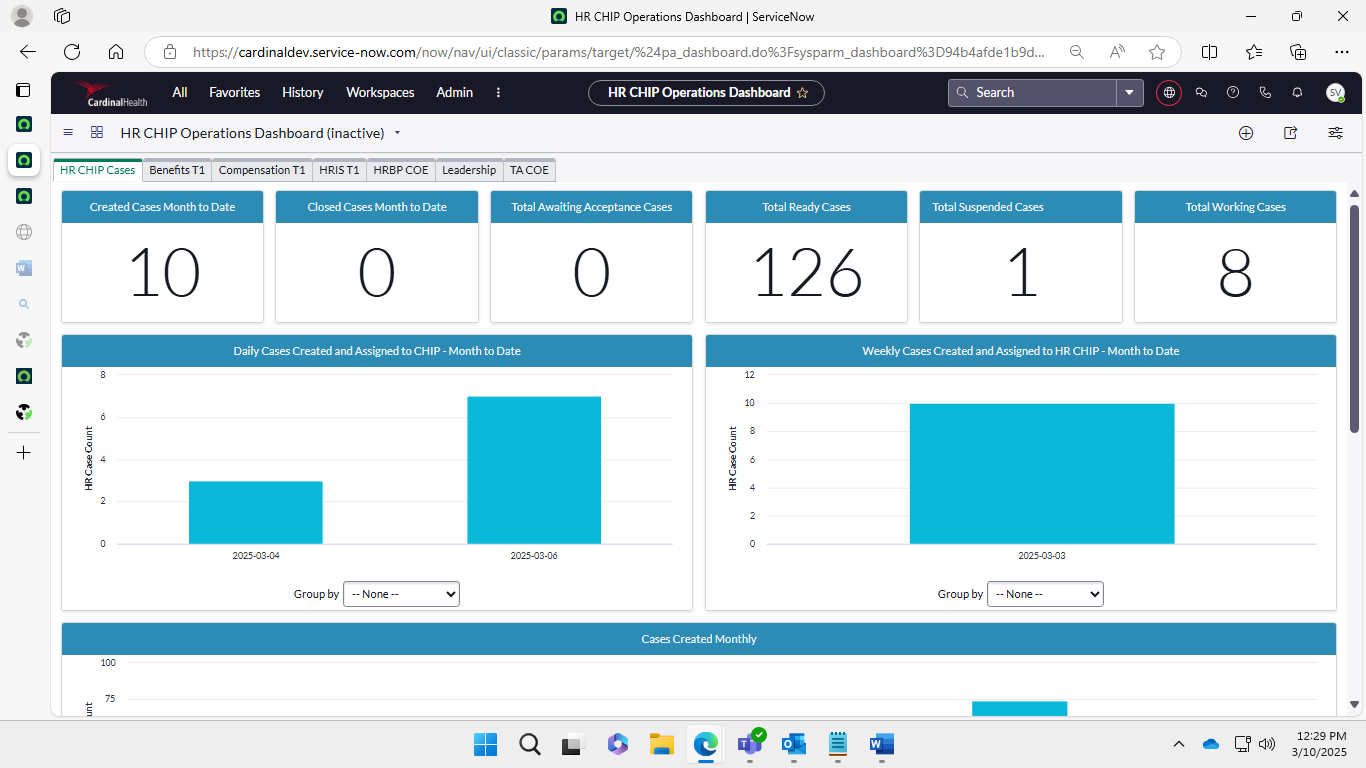
I have migrated 2 dashboards from core UI to platform analytics after migration the visualizations got duplicated.
Need solution to remove duplicated visualizations.
Solved! Go to Solution.
- Mark as New
- Bookmark
- Subscribe
- Mute
- Subscribe to RSS Feed
- Permalink
- Report Inappropriate Content
03-10-2025 12:40 AM
@VaddiR ,
#1
If you have many duplicates, you can run a script in Script Editor (use caution while running it in production).
var grWidget = new GlideRecord('pa_widget');
grWidget.addQuery('dashboard', 'your dashboard sys_id'); // Replace with your dashboard sys_id
grWidget.orderBy('name');
grWidget.query();
var widgetSet = {};
while (grWidget.next()) {
    var widgetName = grWidget.getValue('name');
    if (widgetSet[widgetName]) {
        grWidget.deleteRecord(); // Deletes duplicate widget
    } else {
        widgetSet[widgetName] = true;
    }
}
gs.info('Duplicate widgets removed successfully.');
This script finds duplicate widgets in a specific dashboard and removes them.

#2
Check the visibility in Access Control (ACL) and Filter for pa_dashboards table.
Add ACL conditions:
read permission → Only users with a certain role can view.
write permission → Only specific users can modify.
delete permission → Restrict who can remove dashboards.

If my response helped you, please accept the solution and mark it as helpful.
Thank You!- Mark as New
- Bookmark
- Subscribe
- Mute
- Subscribe to RSS Feed
- Permalink
- Report Inappropriate Content
03-10-2025 12:09 AM - edited 03-10-2025 12:11 AM
Hi @VaddiR ,
Sometimes, duplicates can occur due to multiple data sources being linked to the same visualization. Make sure that each visualization is linked to the correct data source.
- Go to the Dashboard in Platform Analytics.
- Click Edit on the dashboard.
- Identify the duplicated widgets (they may have the same name or similar appearance).
- Delete the duplicate manually by selecting them and clicking the delete option.
- Mark as New
- Bookmark
- Subscribe
- Mute
- Subscribe to RSS Feed
- Permalink
- Report Inappropriate Content
03-10-2025 12:21 AM
@SyedMahemoHThanks for the response
1) Is there any other way apart from manual deletion?
2) How to control the visibility of the dashboards?
- Mark as New
- Bookmark
- Subscribe
- Mute
- Subscribe to RSS Feed
- Permalink
- Report Inappropriate Content
03-10-2025 12:40 AM
@VaddiR ,
#1
If you have many duplicates, you can run a script in Script Editor (use caution while running it in production).
var grWidget = new GlideRecord('pa_widget');
grWidget.addQuery('dashboard', 'your dashboard sys_id'); // Replace with your dashboard sys_id
grWidget.orderBy('name');
grWidget.query();
var widgetSet = {};
while (grWidget.next()) {
    var widgetName = grWidget.getValue('name');
    if (widgetSet[widgetName]) {
        grWidget.deleteRecord(); // Deletes duplicate widget
    } else {
        widgetSet[widgetName] = true;
    }
}
gs.info('Duplicate widgets removed successfully.');
This script finds duplicate widgets in a specific dashboard and removes them.

#2
Check the visibility in Access Control (ACL) and Filter for pa_dashboards table.
Add ACL conditions:
read permission → Only users with a certain role can view.
write permission → Only specific users can modify.
delete permission → Restrict who can remove dashboards.

If my response helped you, please accept the solution and mark it as helpful.
Thank You!- Mark as New
- Bookmark
- Subscribe
- Mute
- Subscribe to RSS Feed
- Permalink
- Report Inappropriate Content
08-21-2025 06:52 AM
Hello VaddiR,
Did you find a solution to your issue? We tried the script but it juts deletes every widget in a migrated dashboard not just the duplicated ones.
Thanks
Sophia