- Mark as New
- Bookmark
- Subscribe
- Mute
- Subscribe to RSS Feed
- Permalink
- Report Inappropriate Content
06-18-2026 01:56 PM
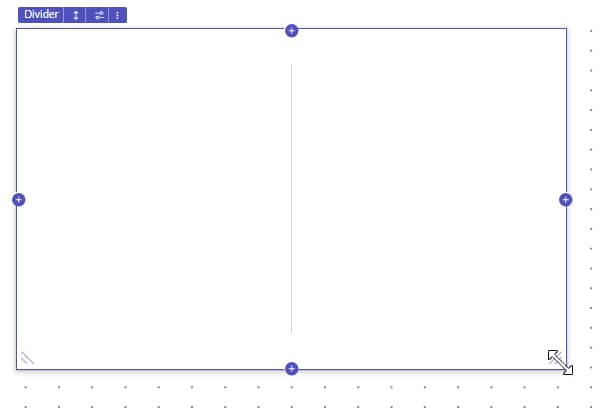
In Platform Analytics dashboards, I can enter Edit Mode and I see the resize handle on my widget, but dragging the handle does not change the widget's size. The dashboard is editable and I can modify other properties. Is there a known limitation, permission, layout setting, or dashboard configuration that prevents widget resizing in Platform Analytics?
Users have pa_power_user, and others have Pa_Admin
Solved! Go to Solution.

- Mark as New
- Bookmark
- Subscribe
- Mute
- Subscribe to RSS Feed
- Permalink
- Report Inappropriate Content
06-19-2026 03:16 AM
Hi @Joshyland
Refer : https://support.servicenow.com/kb?id=kb_article_view&sysparm_article=KB0822615
It is not possible to auto increase the size of the widget depending upon the data in any report.
You need to drag to move and resize the widgets
Related Links
Go through Configure Widget Layouts to know more about widget layouts
Resize or change the layout of widgets
Drag to move and resize widgets.
|

Regards
Tanushree Maiti
ServiceNow Technical Architect
LinkedIn: https://www.linkedin.com/in/tanushreemaiti


- Mark as New
- Bookmark
- Subscribe
- Mute
- Subscribe to RSS Feed
- Permalink
- Report Inappropriate Content
06-19-2026 02:52 AM
Hi @Joshyland
I tried this in my PDI and it is working fine.
Could you please click on the three diagonal menu lines and try again? If the issue still persists, try running a repair on the PA plugin and let me know the outcome.
Regards
Dr Atul G. - Learn N Grow Together ServiceNow Techno - Functional Trainer
LinkedIn: https://www.linkedin.com/in/dratulgrover
YouTube: https://www.youtube.com/@LearnNGrowTogetherwithAtulG
******************************************************************************************
- Mark as New
- Bookmark
- Subscribe
- Mute
- Subscribe to RSS Feed
- Permalink
- Report Inappropriate Content
06-19-2026 03:16 AM
Hi @Joshyland
Refer : https://support.servicenow.com/kb?id=kb_article_view&sysparm_article=KB0822615
It is not possible to auto increase the size of the widget depending upon the data in any report.
You need to drag to move and resize the widgets
Related Links
Go through Configure Widget Layouts to know more about widget layouts
Resize or change the layout of widgets
Drag to move and resize widgets.
|
Regards
Tanushree Maiti
ServiceNow Technical Architect
LinkedIn: https://www.linkedin.com/in/tanushreemaiti
- Mark as New
- Bookmark
- Subscribe
- Mute
- Subscribe to RSS Feed
- Permalink
- Report Inappropriate Content
06-19-2026 05:26 AM
@Tanushree Maiti and @Dr Atul - LNG
Thank you for your quick response. This morning, resizing and moving are working properly again.
Yesterday, before leaving work, I deleted several widgets with empty names from the PAR Dashboard Widgets, as I noticed that many of them were created at the same time and were blank. I assume that someone may have converted a fully populated dashboard to the UI, possibly overloading the cache.
Anyways, everything is working fine this morning. Thank you once again.
- Mark as New
- Bookmark
- Subscribe
- Mute
- Subscribe to RSS Feed
- Permalink
- Report Inappropriate Content
06-19-2026 05:27 AM
Huree.e. please close the thread mate.
Regards
Dr Atul G. - Learn N Grow Together ServiceNow Techno - Functional Trainer
LinkedIn: https://www.linkedin.com/in/dratulgrover
YouTube: https://www.youtube.com/@LearnNGrowTogetherwithAtulG
******************************************************************************************