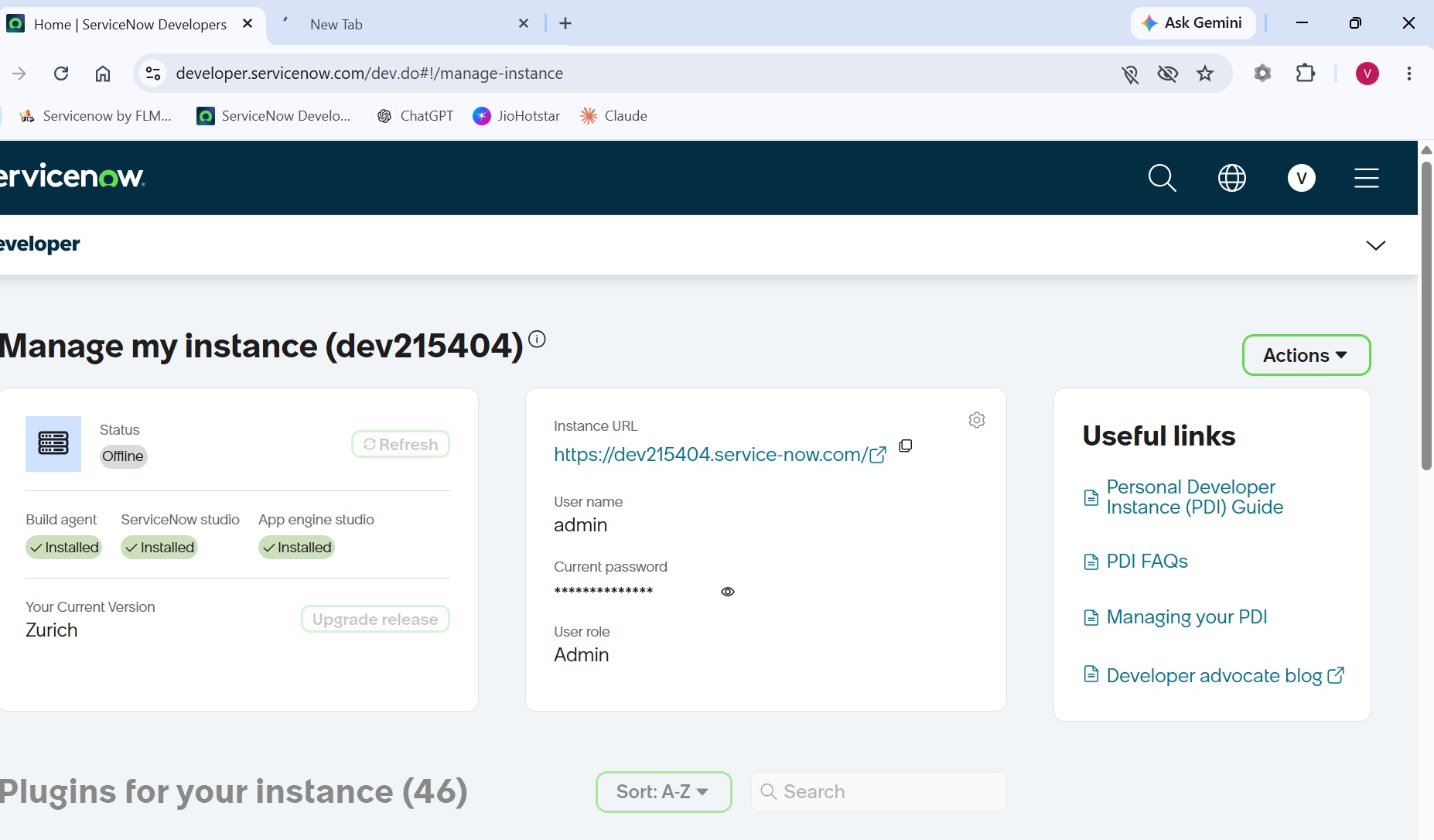
unable to login into the PDI

- Mark as New
- Bookmark
- Subscribe
- Mute
- Subscribe to RSS Feed
- Permalink
- Report Inappropriate Content
07-23-2026 02:34 AM
Hello Community,
I'm trying to log in to my PDI, but when I tried to open my PDI, it's showing offline. I don't know what the problem is, but I tried with different browsers also. Still I'm facing the same issue.
It's showing something like, "We are having trouble opening your instant due to an internal error. We should have it fixed in a few minutes." It's showing that, but I can't see any solution.
I've been trying since this morning, and my PDI instant shows offline.

- Mark as New
- Bookmark
- Subscribe
- Mute
- Subscribe to RSS Feed
- Permalink
- Report Inappropriate Content
07-23-2026 04:02 AM
Hi @viplavkumar
- Log in to the ServiceNow Developer Portal and check the instance action panel to see if you can force a wake-up.
- Try to make it online /wake up.
- If it is not get up after 5-6 days with continuous try,
- Release the instance and request for new one.
There is no support available for PDI.
Keeping PDIs Available for Active Builders: Upcoming PDI Reclamation Changes
Regards
Tanushree Maiti
ServiceNow Technical Architect
LinkedIn: https://www.linkedin.com/in/tanushreemaiti

- Mark as New
- Bookmark
- Subscribe
- Mute
- Subscribe to RSS Feed
- Permalink
- Report Inappropriate Content
07-23-2026 04:07 AM
Hello @viplavkumar ,
Don't worry buddy . You are not alone , this same issue is faced my multiple users . But now getting this message

After some time screen is loaded but instance went to offline .

I think , we should wait for some time , its servicenow internal error 🙂 . Instance will back after some time .
If this helps you then mark it as helpful and accept as solution.
Regards,
Aditya


- Mark as New
- Bookmark
- Subscribe
- Mute
- Subscribe to RSS Feed
- Permalink
- Report Inappropriate Content
07-23-2026 01:30 PM
Hi @viplavkumar
as you might know, there is no support available for PDIs, hence your only option is wait or release the instance and request s fresh installation.
If my answer has helped with your question, please mark my answer as the accepted solution and give a thumbs up.
Best regards
Anders
Rising star 2024
MVP 2025
linkedIn: https://www.linkedin.com/in/andersskovbjerg/

- Mark as New
- Bookmark
- Subscribe
- Mute
- Subscribe to RSS Feed
- Permalink
- Report Inappropriate Content
07-23-2026 03:06 PM
ahoy @viplavkumar,
there's some technical issue, for more detail read Incident: Developer Site Restored and PDI Availability Issues
✂-----Cutting-out-the---✦AI-noise✦---All-replies-written-and-vouched-for-by-GlideFather---