alexpanzare

ServiceNow Employee
Options
- Subscribe to RSS Feed
- Mark as New
- Mark as Read
- Bookmark
- Subscribe
- Printer Friendly Page
- Report Inappropriate Content
09-20-2021
07:08 AM
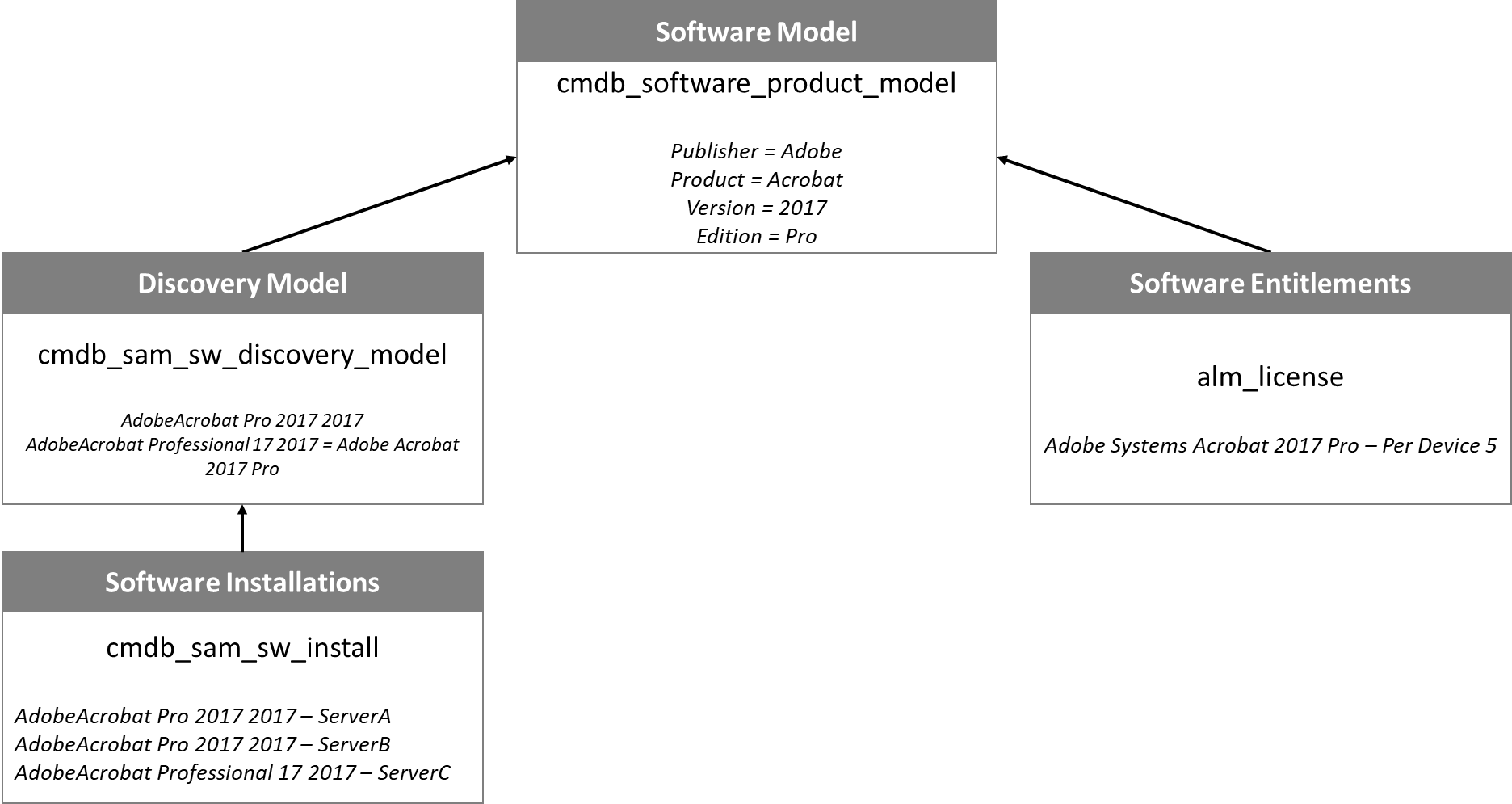
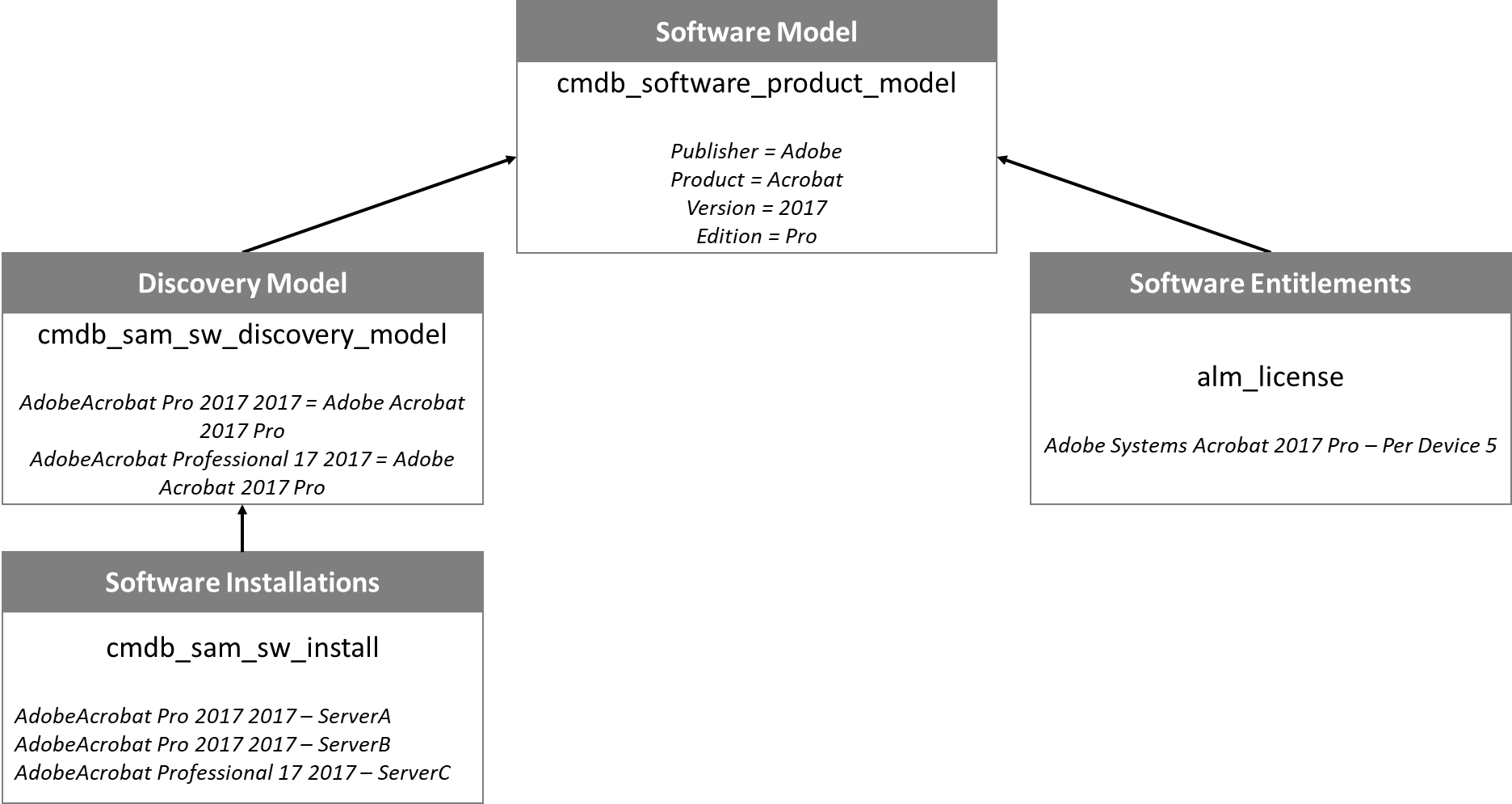
Four tables are needed to create a basic compliance position in ServiceNow SAM. Additional tables are needed depending on the license metric used, but still use this basic format.
Concept
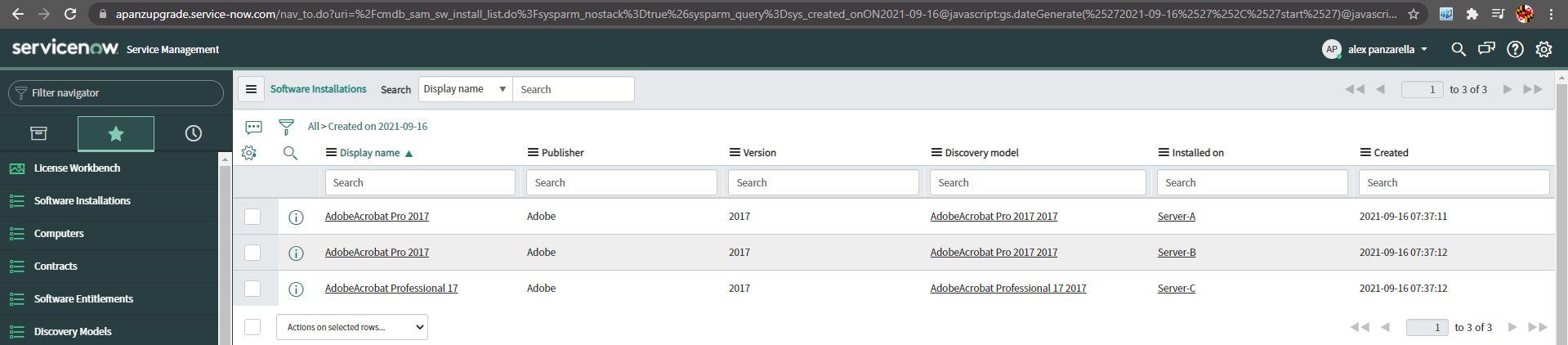
Table 1 - Software Installations "cmdb_sam_sw_install" - Raw data comes in from ServiceNow Discovery, SCCM, BigFix, Tanium, manual uploads, etc.
Table 2 - Discovery Models "cmdb_sam_sw_discovery_model" - Raw data is grouped and normalized based on the SAM content library
Table 3 - Software Models "cmdb_software_product_model" - Conditions are set to define what discovery models get included and to later link to the entitlement (software models link installs to entitlements)
Table 4 - Software Entitlements "alm_license" - License amounts are created and linked to the software model
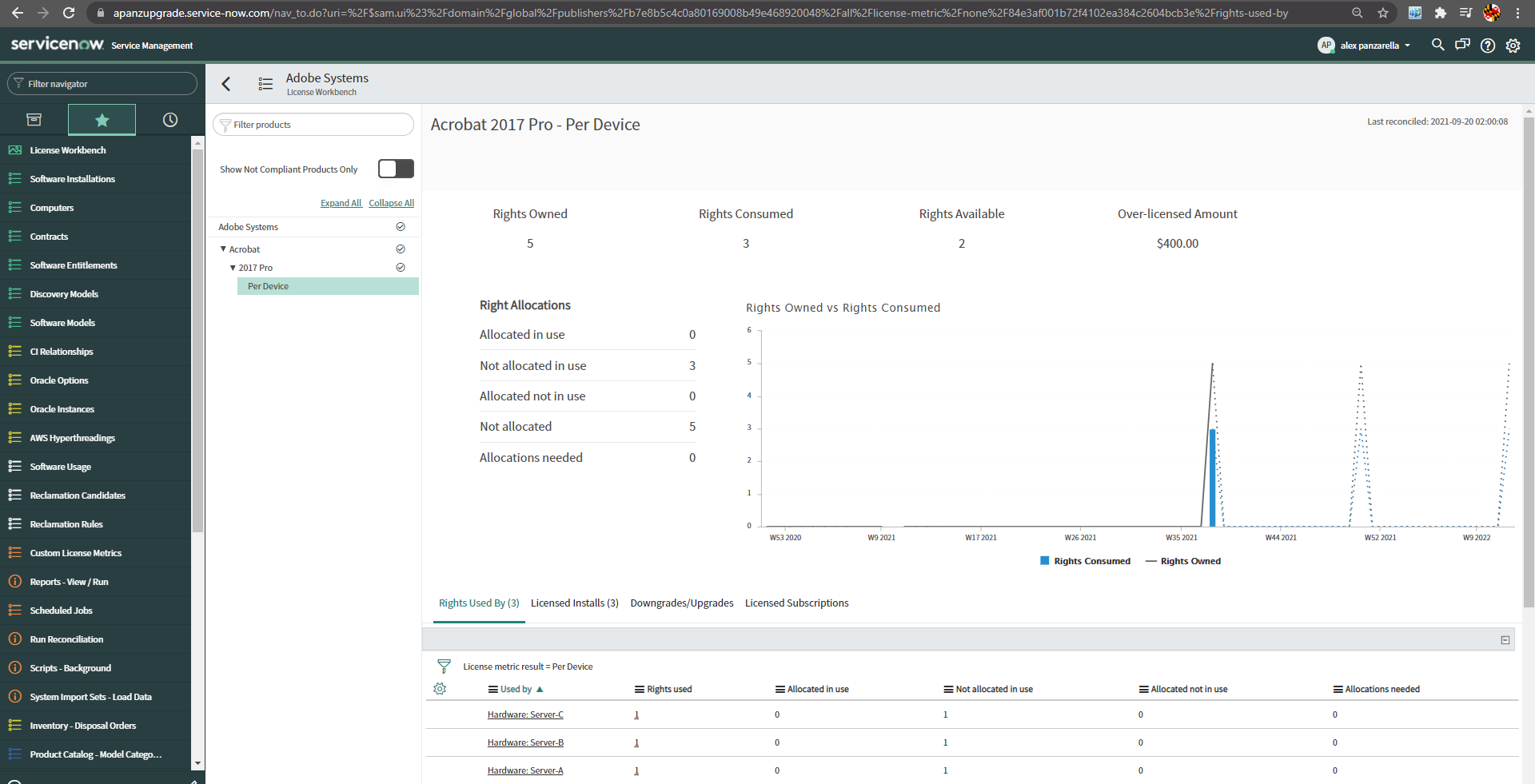
Results - License Workbench - Compliance results are presented in the dashboard, license position report, and license workbench
- 9,005 Views
You must be a registered user to add a comment. If you've already registered, sign in. Otherwise, register and sign in.