- Mark as New
- Bookmark
- Subscribe
- Mute
- Subscribe to RSS Feed
- Permalink
- Report Inappropriate Content
09-14-2022 10:58 AM
Looking at a list of configuration items (CI's) ~1000 or so. (cmdb_ci.list)
I want to retire ~1000 of them.
Normally I just up to the column options menu at the top of a column, click and select Update Selected OR Update All.
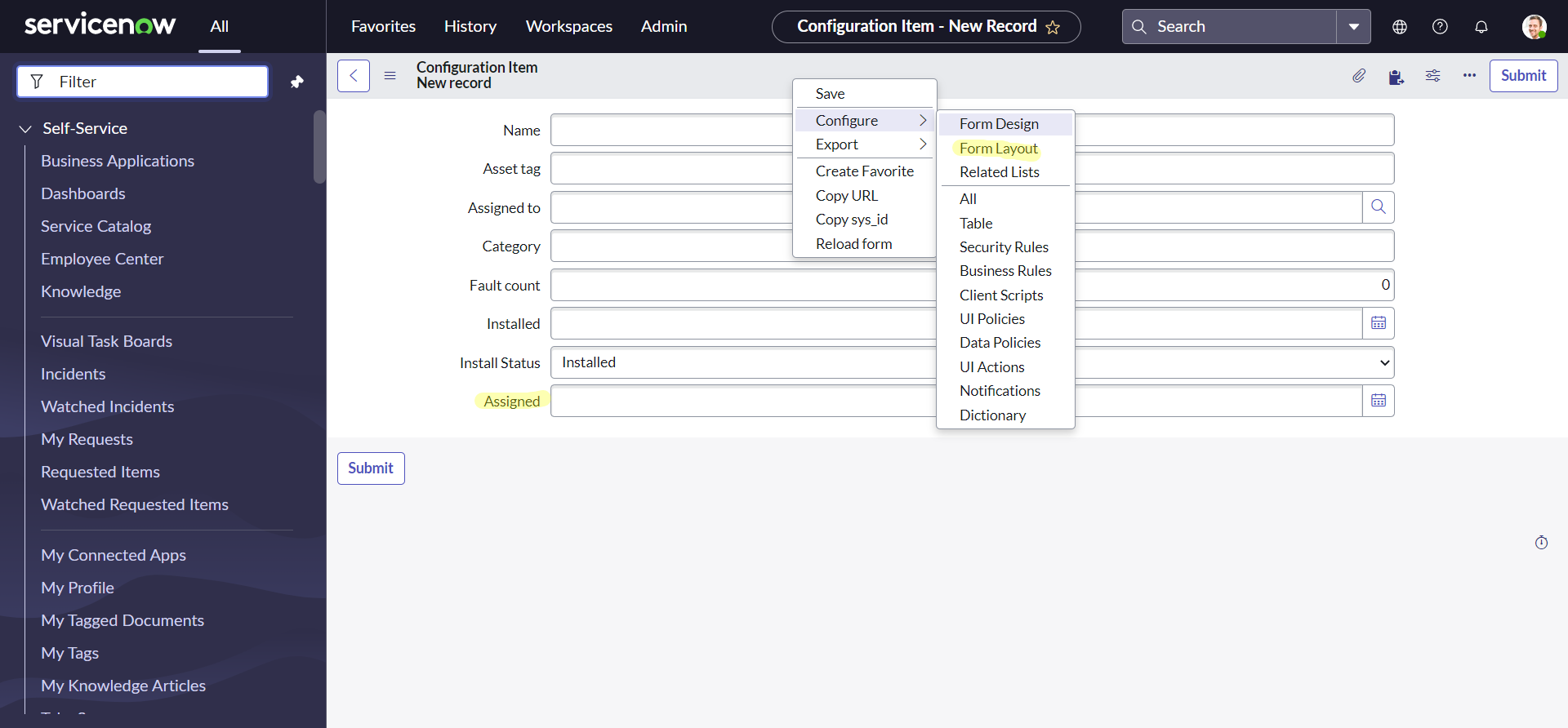
The problem is that when the form for the configuration item updates displays, the field I need to update is not there.
I've searched for this form view but have been unable to find it.
Does anyone know what time-space coordinate this cmdb_ci_update.do page/form/view exists so I can add the silly field I need? In this instance there are currently 3 views, none of which are what's used when I'm sent to cmdb_ci_update.do.
Thanks in advance.
Solved! Go to Solution.
- Mark as New
- Bookmark
- Subscribe
- Mute
- Subscribe to RSS Feed
- Permalink
- Report Inappropriate Content
09-14-2022 03:51 PM
Well I still don't know why I can't get to the context menu there, but this is the answer I went with. I just edited the existing view we use, and created a View Rule for creation of "New" records, and it shows up when I use "Update selected/Update All" from the list.
ref. Why Default view is not displaying in new record - incident record

- Mark as New
- Bookmark
- Subscribe
- Mute
- Subscribe to RSS Feed
- Permalink
- Report Inappropriate Content
09-14-2022 11:46 AM


- Mark as New
- Bookmark
- Subscribe
- Mute
- Subscribe to RSS Feed
- Permalink
- Report Inappropriate Content
09-14-2022 01:58 PM
Totally one of the first things I tried, but no dice. Either I don't have the access, or some other option for that action is disabled. I also tried this in my sub-production instances and got nothing. ☹
- Mark as New
- Bookmark
- Subscribe
- Mute
- Subscribe to RSS Feed
- Permalink
- Report Inappropriate Content
09-14-2022 02:12 PM
Can you share more details ? You cannot open context menu? or you did add the field but its not reflecting to update all form?
***Mark Correct or Helpful if it helps.***
- Mark as New
- Bookmark
- Subscribe
- Mute
- Subscribe to RSS Feed
- Permalink
- Report Inappropriate Content
09-14-2022 02:34 PM
Exactly, I can not open the context menu on that page, as I can on others.