Is it possible to run Normalization data services automatically as per a schedule

- Mark as New
- Bookmark
- Subscribe
- Mute
- Subscribe to RSS Feed
- Permalink
- Report Inappropriate Content
10-04-2023 05:57 AM


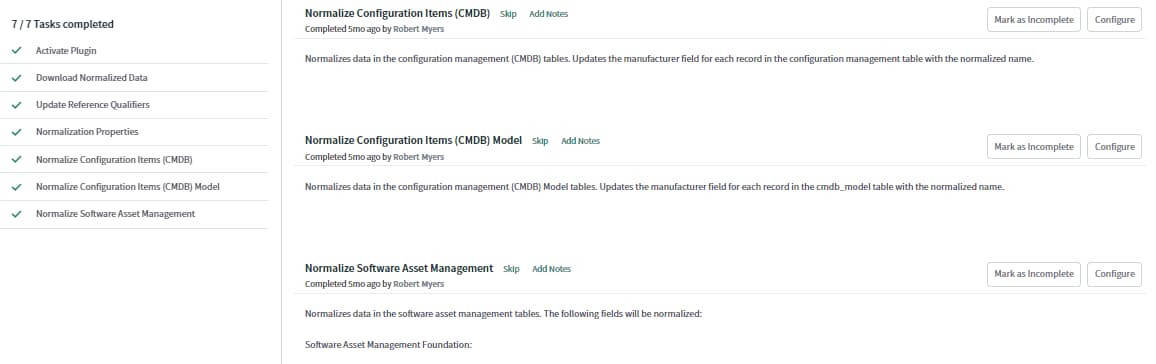
- Mark as New
- Bookmark
- Subscribe
- Mute
- Subscribe to RSS Feed
- Permalink
- Report Inappropriate Content
10-04-2023 06:07 AM
HI @Mukund B ,
I trust you are doing great.
Yes, it is possible to run Normalization Data Services (NDS) automatically as per a schedule in ServiceNow. You can achieve this by creating a scheduled job that triggers the normalization process.
Here's a brief overview of the steps:
- Navigate to Scheduled Jobs: In the ServiceNow application navigator, search for "Scheduled Jobs" and select it.
- Create a New Scheduled Job: Click on "New" to create a new scheduled job.
- Configure the Job:
- Name: Provide a meaningful name for the job, e.g., "Run Normalization Data Services".
- Run: Choose the frequency at which you want the job to run (e.g., daily, weekly, etc.).
- Script: In the script field, you'll need to add a script that triggers the normalization process.
- Mark as New
- Bookmark
- Subscribe
- Mute
- Subscribe to RSS Feed
- Permalink
- Report Inappropriate Content
10-04-2023 06:44 AM
Hi Amit, thanks for your response. Do you have a sample script to trigger the normalization process?
- Mark as New
- Bookmark
- Subscribe
- Mute
- Subscribe to RSS Feed
- Permalink
- Report Inappropriate Content
06-25-2024 12:16 AM
There is Scheduled Job available already as part of the Normalization Data Service Plugin:
- Run normalization job daily
The code is one liner and the Script Include is not open for customers.
