Service Operations Workspace- Incident Record Displays Recommendations Instead of Record Information

- Mark as New
- Bookmark
- Subscribe
- Mute
- Subscribe to RSS Feed
- Permalink
- Report Inappropriate Content
05-08-2026 02:20 PM
Hi ,
We are currently investigating a behaviour within Service Operations Workspace (SOW) and would appreciate your guidance on whether this is expected product behaviour, a known issue, or related to recent Zurich patch enhancements.
Issue Summary
Within our customer instance (DEV/TEST), Incident records in SOW display the “Recommendations” panel instead of the “Record Information” panel.
However:
- REQ and CHG records continue to display “Record Information” correctly.
- The issue appears to affect Incident records specifically.
Environment Details
Customer Instance Build Tag:
- glide-zurich-07-01-2025_patch8-03-20-2026
- glide-zurich-07-01-2025__patch6-01-16-2026
Comparison Instance (PDI):
- glide-zurich-07-01-2025_patch5-12-17-2025
In the PDI instance, Incident, REQ, and CHG all display the “Record Information” panel as expected.
Investigation Performed
We investigated the Contextual Side Panel and UI Builder configurations and identified the following visibility logic:
(function shouldDisplayRecordInformation() {
    var sidebarTabUtil = new SRMSidebarTabUtils();
    return !sidebarTabUtil.hasOptInRole();
})();
We then reviewed the related Script Includes:
var SRMSidebarTabUtilsSNC = Class.create();
SRMSidebarTabUtilsSNC.prototype = {
    initialize: function() {
    },

    SRM_OPT_IN_ROLE: 'sn_sow_srm.form_view_subscriber',

    hasOptInRole: function() {
        return gs.hasRole(this.SRM_OPT_IN_ROLE);
    },

    type: 'SRMSidebarTabUtilsSNC'
};
However, the affected user does NOT possess the role:
- sn_sow_srm.form_view_subscriber
Despite this, Incident SOW still renders the Recommendations panel instead of Record Information.
Additional Observations
- The Incident table is included within the component visibility conditions.
- REQ/CHG render correctly within the same workspace.
- The Record Information configuration/pages appear read-only OOTB unless a page variant is created.
- We would prefer to avoid unnecessary customization/page variants to prevent upgrade debt.
Questions
- Is this behaviour expected in Zurich Patch 8 for Incident records?
- Has the Recommendations panel replaced Record Information for Incident SOW as part of an OOTB enhancement?
- Are there known plugin/store app dependencies impacting this behaviour?
- Are there known defects related to Incident Record Information rendering in SOW?
- Would plugin repair or store app updates be recommended in this scenario?
Any clarification or guidance would be greatly appreciated.
Kind regards,
Chris

- Mark as New
- Bookmark
- Subscribe
- Mute
- Subscribe to RSS Feed
- Permalink
- Report Inappropriate Content
05-08-2026 11:10 PM
Hi @chrisfola
It is not expected It might be happening due to patch update issue ( exceptional case).
Check following steps:
- Go to System Applications -> Applications -> locate the Service Operations Workspace plugin-> choose Repair to refresh the setup.
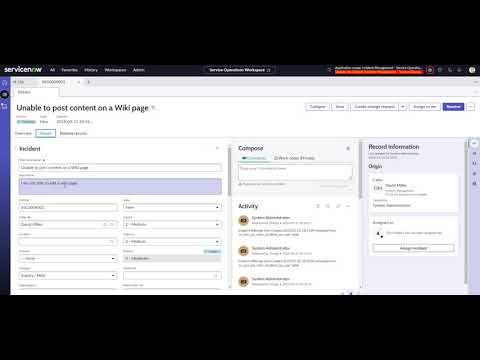
- Then, open the Incident record page in the UI Builder and confirm that the Record Information component is configured as the default option in the right-side panel. //refer:https://youtu.be/7TOdfHdpLUg?si=MW5zsLiYhUyOJwjz
- Next, review the SOW - Sidebar tabs top configuration and update the active tab from Recommendations to Record Information
- If the problem still continues, raise a case to your ServiceNow Support (Hi-ticket) and mention that the issue may be related to recent Zurich patch enhancements.
Regards
Tanushree Maiti
ServiceNow Technical Architect
LinkedIn: https://www.linkedin.com/in/tanushreemaiti
- Mark as New
- Bookmark
- Subscribe
- Mute
- Subscribe to RSS Feed
- Permalink
- Report Inappropriate Content
05-14-2026 06:56 AM
Many thanks for your suggestions. The video was helpful.
However, the Issue still persist after carrying out a repair.
I was mindful not to change any OOTB configuration.
I have been able to resolve the Issue.
My steps:
I created a copy of the OOTB Recommended Actions Default in Recommended Actions for ITSM scope.
Edit Variant Condition (Enter as text)
Input Table is not Incident and
Input Table is not Incident Task
Change Order: 0
Save

Go to Record Information SNC Variant
Application scope: Service Operations Workspace ITSM Common
Actions > Open records> Page definition
Edit
UX Macroponent Definition Record Information page
Scroll to Parent Screens tab

Open the second Record Information SNC for Parent Macroponent: Record Sow
Set Order to 200
For Screen Condition: parent.table=incident^parent.sysId!=-1
Open the first Record Information SNC for Parent Macroponent: UXR Base Experience
Make the UX Screen Condition Active: false

The UX Screen Condition doesn't exist in my working PDI.

