- Mark as New
- Bookmark
- Subscribe
- Mute
- Subscribe to RSS Feed
- Permalink
- Report Inappropriate Content
04-07-2022 04:04 AM
Hello Community,
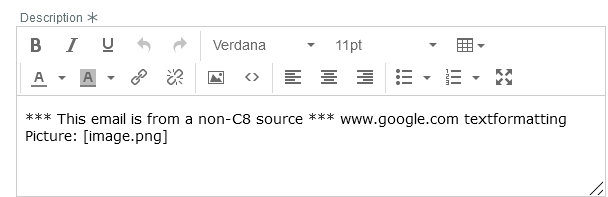
When I create a case within the agent workspace, I can enter a description in rich format / html.
This is how it looks:

However when creating a case from email the result is different, this is the email sent from gmail:

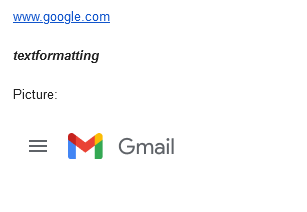
and this is how the description looks in the case:

We are using flow to open case from email, I have changed the input field Description to HTML, it was string before:

and in the create case step I have this:

I have also tried the following but nothing works:

Would somebody know how to accomplish this?
Thanks!
Solved! Go to Solution.
- Labels:
-
Agent Workspace
- Mark as New
- Bookmark
- Subscribe
- Mute
- Subscribe to RSS Feed
- Permalink
- Report Inappropriate Content
04-07-2022 04:41 AM
I finally got sorted, this was the solution, I hope this can help you guys if you encounter the same situation.
I have changed the Description Dictionary from String to HMTL.
In the flow I changed the create case and change to this:

- Mark as New
- Bookmark
- Subscribe
- Mute
- Subscribe to RSS Feed
- Permalink
- Report Inappropriate Content
04-07-2022 04:41 AM