
- Mark as New
- Bookmark
- Subscribe
- Mute
- Subscribe to RSS Feed
- Permalink
- Report Inappropriate Content
09-28-2020 05:42 AM
Hello,
I want to create an application using IntegrationHub ETL. For that, the initial step would be to create a Data Source. When I click on the new button to create a record in the Data Source Table and after selecting Type as REST(IntegrationHub) it will show me the below screen.

As per the Servicenow Document, there should be a Request Action field which is required to select an Action from Flow Designer. But I can not able to see the request action field on the form view.
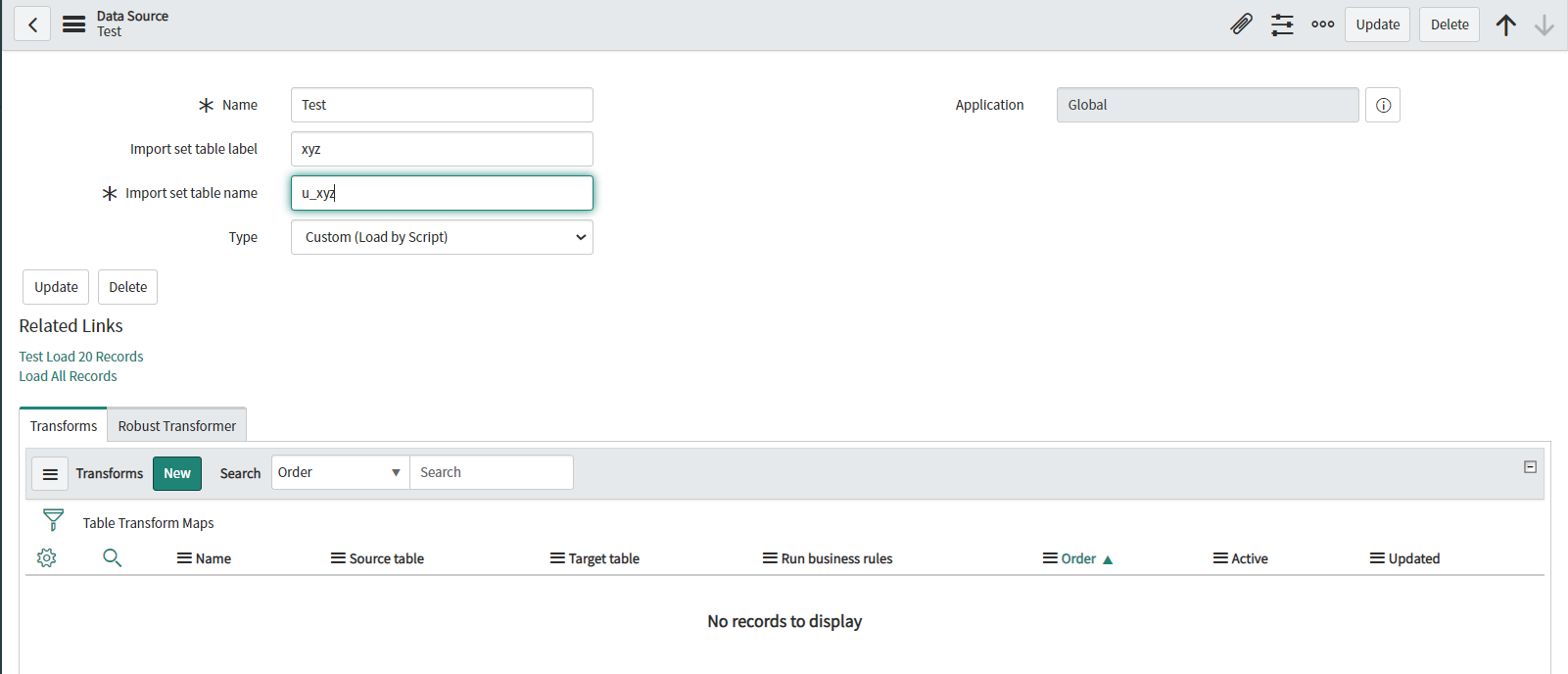
Besides this when I select type as Custom(Load by Script) It will show me the below screen.

As per the Servicenow Document, there should be a Data Loader field which is required to write the script. But I can not able to see the Data Loader field on the form view.
As an integration hub ETL is available in Orlando and Paris. I have tried this on both versions and both show the same form view. I have logged in as an admin still the problem persists.
Thank you
Smit
Solved! Go to Solution.
- Labels:
-
Flow Designer
-
IntegrationHub


- Mark as New
- Bookmark
- Subscribe
- Mute
- Subscribe to RSS Feed
- Permalink
- Report Inappropriate Content
09-28-2020 06:14 AM
Please refer my instance image; it shows the field "Request action" and the Parsing script field
Possibly some issue with your instance



Regards
Ankur

- Mark as New
- Bookmark
- Subscribe
- Mute
- Subscribe to RSS Feed
- Permalink
- Report Inappropriate Content
09-28-2020 10:31 PM
I didn't install any specific plugin as such.
My instance is Orlando Patch 7
If this is for your client instance then please raise a HI ticket.
Also check any onload client script or UI policy on data source table
Please check below UI policies in your instance; these are responsible for showing those fields on form when the Type -> REST (Integration Hub)
https://<instanceName>.service-now.com/nav_to.do?uri=sys_ui_policy.do?sys_id=cd4761e79f0733005cf3ffa4677fcf76
AND
https://<instanceName>.service-now.com/nav_to.do?uri=sys_ui_policy.do?sys_id=19aa3a8cc73233009cea1197fdc260a2
Regards
Ankur
- Mark as New
- Bookmark
- Subscribe
- Mute
- Subscribe to RSS Feed
- Permalink
- Report Inappropriate Content
09-28-2020 10:46 PM
I checked for Paris Patch 0 and Orlando Patch 7
I have checked the client script and didn't find any onLoad script that might create this issue.
- Mark as New
- Bookmark
- Subscribe
- Mute
- Subscribe to RSS Feed
- Permalink
- Report Inappropriate Content
10-10-2020 12:50 AM
Hope you are doing good.
Let me know if that answered your question.
If so, please mark appropriate response as correct & helpful so that this thread can be closed and others can be benefited by this.
If not, please let us know if you need some more assistance.
Regards
Ankur
- Mark as New
- Bookmark
- Subscribe
- Mute
- Subscribe to RSS Feed
- Permalink
- Report Inappropriate Content
10-11-2020 10:28 PM
Hi
I have tried in another dev instance and there it is working fine so I think there might be issue with my earlier dev instance.
Thanks,
Smit
- Mark as New
- Bookmark
- Subscribe
- Mute
- Subscribe to RSS Feed
- Permalink
- Report Inappropriate Content
10-11-2020 11:26 PM
Thanks for the update.
Have a nice day
Regards
Ankur
