- Mark as New
- Bookmark
- Subscribe
- Mute
- Subscribe to RSS Feed
- Permalink
- Report Inappropriate Content
03-14-2019 10:04 AM
Hi all,
I'm trying to setup a communication plan for our change request. The communication plan has 1 communication task definition and 1 communication contact definition.
The communication contact definition is set to the type of 'Recipient list' referencing a recipient list which is dynamic and when refreshed contains 7 users:

When I create a change request which meets my communication plan condition the communication plan is creating and it is creating the communication task and has added the recipient list to the plan:

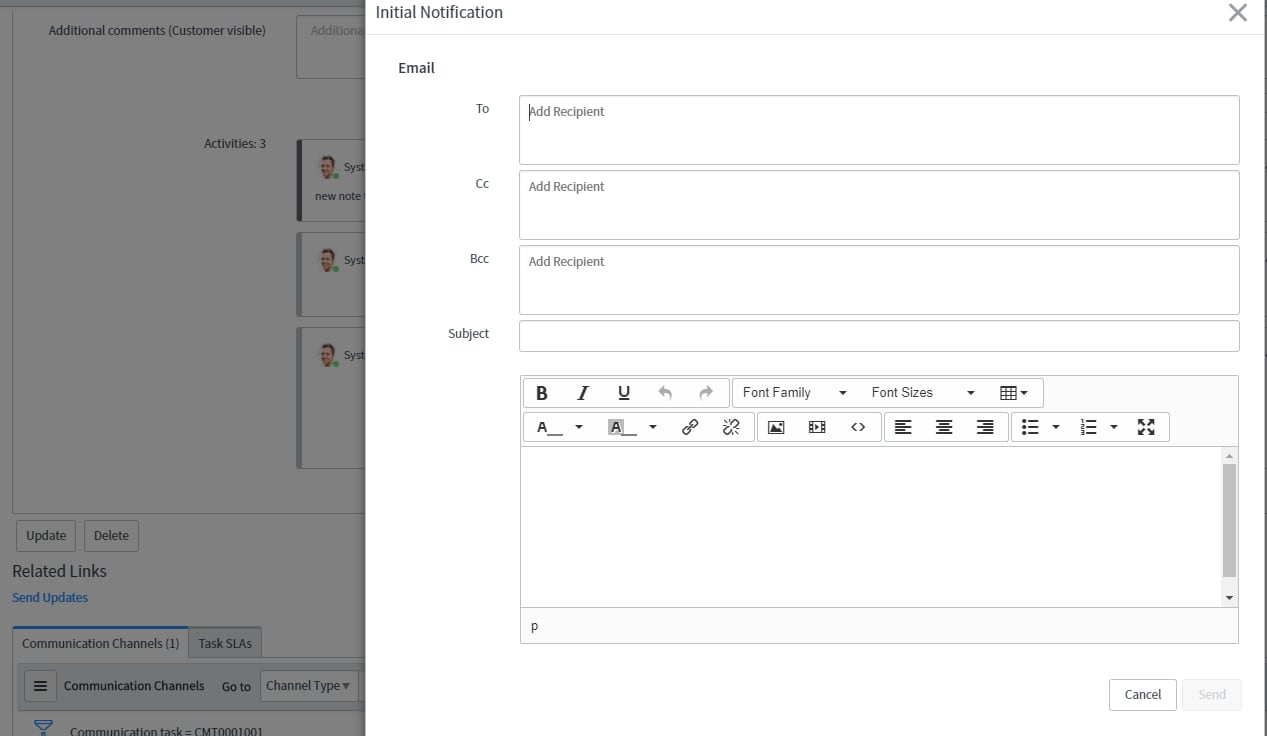
However when I go to the communication task and select the 'send updates' related link, the email pop-up is not populating the 'To:' field with the users from the recipient list:

Am I missing some additional configuration, or is my understanding of how this should work not the case?
If on the communication plan I add a user in the related list this does get added to the 'To' field as I would expect?
Thanks
Sam
Solved! Go to Solution.
- Labels:
-
Best Practices
-
Notifications
- Mark as New
- Bookmark
- Subscribe
- Mute
- Subscribe to RSS Feed
- Permalink
- Report Inappropriate Content
03-15-2019 06:16 AM
I managed to hunt down the issue. I had a look in the UI action 'send updates' on the communication task and this calls the script include 'CommunicationManagementUtilSNC'. Within this there is the function '_getContactsForEmail'. I noticed in here that it was only adding the users from the recipient list to the 'to' field if the recipient_list.type was 'internal'. I had set my recipient list type as external.
I've amended the extended script include for this function so it does the same for recipient list type of external and its now working as I was expecting.
I'm not sure that recipient lists are only for use for targeted communication as the communication plan has the option to create a communication contact definition with the type as 'recipient list' so from what I can tell this is OOB functionality.
- Mark as New
- Bookmark
- Subscribe
- Mute
- Subscribe to RSS Feed
- Permalink
- Report Inappropriate Content
03-14-2019 02:51 PM
You might be confusing the intent behind Recipient List. It's more intended use is Targeted Communications in the Customer Service space.
You may want to entertain leveraging the Watch list instead.
- Mark as New
- Bookmark
- Subscribe
- Mute
- Subscribe to RSS Feed
- Permalink
- Report Inappropriate Content
03-15-2019 06:16 AM
I managed to hunt down the issue. I had a look in the UI action 'send updates' on the communication task and this calls the script include 'CommunicationManagementUtilSNC'. Within this there is the function '_getContactsForEmail'. I noticed in here that it was only adding the users from the recipient list to the 'to' field if the recipient_list.type was 'internal'. I had set my recipient list type as external.
I've amended the extended script include for this function so it does the same for recipient list type of external and its now working as I was expecting.
I'm not sure that recipient lists are only for use for targeted communication as the communication plan has the option to create a communication contact definition with the type as 'recipient list' so from what I can tell this is OOB functionality.
- Mark as New
- Bookmark
- Subscribe
- Mute
- Subscribe to RSS Feed
- Permalink
- Report Inappropriate Content
03-15-2019 06:51 AM
Great find!

- Mark as New
- Bookmark
- Subscribe
- Mute
- Subscribe to RSS Feed
- Permalink
- Report Inappropriate Content
01-26-2026 01:39 AM
I had the issue with "internal" recipients only working and found another issue. This tooks me days to figure out including a ticket with ServiceNow Support (which didnt help).
You need to update the Default in sys_email_client_configuration.list to include "Active Recipient Lists" else it shows the Recipient List on the email client but ignores it when sending the email.

The script include ignores the recpient list unless it is added: