- Mark as New
- Bookmark
- Subscribe
- Mute
- Subscribe to RSS Feed
- Permalink
- Report Inappropriate Content
11-28-2025 08:10 AM
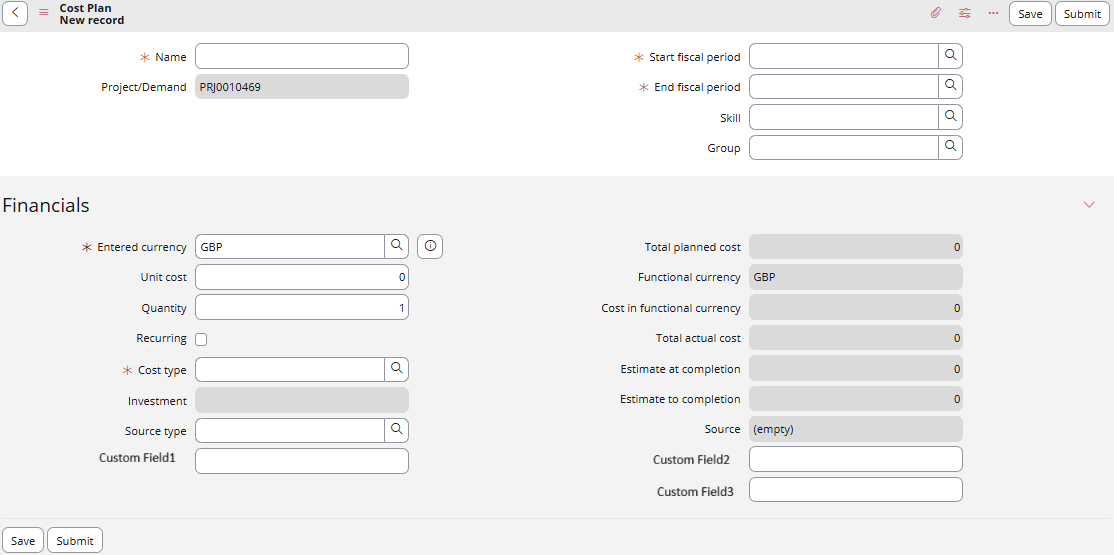
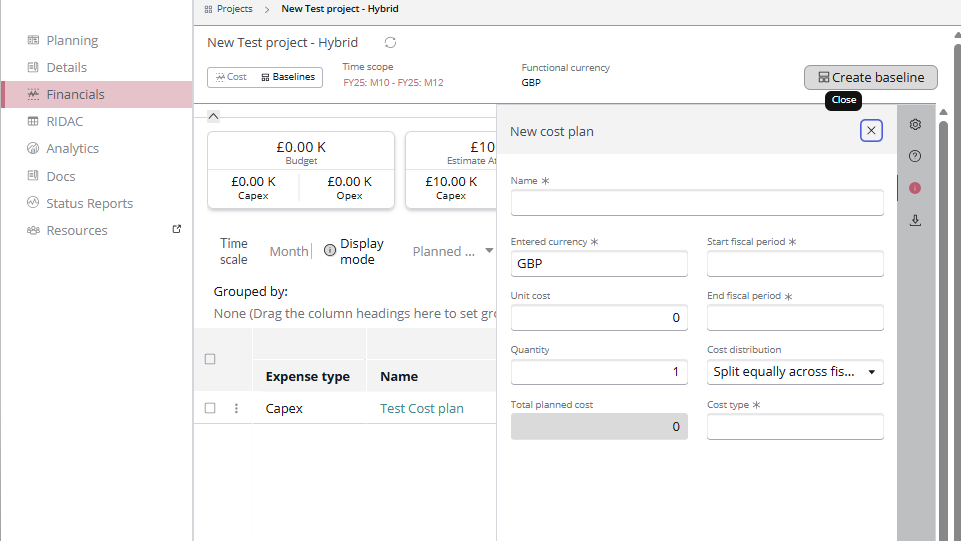
I have added few additional fields onto the Financials section of the Cost plan. However, these new fields are not showing up on the Cost plan entry screen under Financials section of Project planning console. See attached screenshots.
Can someone help me on how can these fields be made available on the project planning console screens?
I also need the additional fields to be made available in Expense lines entry screen as well.
Solved! Go to Solution.
- Mark as New
- Bookmark
- Subscribe
- Mute
- Subscribe to RSS Feed
- Permalink
- Report Inappropriate Content
11-30-2025 02:52 AM
Hi @SuneerS,
For the new fields to appear in the workspace, you need to add them for the Cost Plan View: Financials View.
Go to the Cost Plan [cost_plan] table and configure the form layout using the Financials View.
- Mark as New
- Bookmark
- Subscribe
- Mute
- Subscribe to RSS Feed
- Permalink
- Report Inappropriate Content
11-30-2025 02:52 AM
Hi @SuneerS,
For the new fields to appear in the workspace, you need to add them for the Cost Plan View: Financials View.
Go to the Cost Plan [cost_plan] table and configure the form layout using the Financials View.