- Mark as New
- Bookmark
- Subscribe
- Mute
- Subscribe to RSS Feed
- Permalink
- Report Inappropriate Content
09-07-2017 02:40 AM
Hi,
I have a script which runs fine and displays the results well in the scripts Background.
How do I display the script results in service now as a page and have this script run daily?
var dupRecords = [];
var gaDupCheck1 = new GlideAggregate('cmdb_ci_computer');
gaDupCheck1.addQuery('model_category','laptop');
gaDupCheck1.addAggregate('COUNT', 'asset_tag');
gaDupCheck1.groupBy('asset_tag');
gaDupCheck1.addHaving('COUNT', '>', 1);
gaDupCheck1.query();
while (gaDupCheck1.next()) {
dupRecords.push(gaDupCheck1.asset_tag.toString());
}
gs.print(dupRecords);
Does not have to be anything fancy as long as it displays the results.
Thanks,
Riaz
Solved! Go to Solution.

- Mark as New
- Bookmark
- Subscribe
- Mute
- Subscribe to RSS Feed
- Permalink
- Report Inappropriate Content
09-07-2017 04:17 AM
- Mark as New
- Bookmark
- Subscribe
- Mute
- Subscribe to RSS Feed
- Permalink
- Report Inappropriate Content
09-07-2017 02:51 AM
HI Riaz,
You have two options.
Either you create a UI page, add this script in <g:evaluate> and use jellly to display the result on the HTML and get the result whenever you hit the page url.
or you can create a scheduled job which will run it daily to provide you the result. You can then trigger an email for the result.
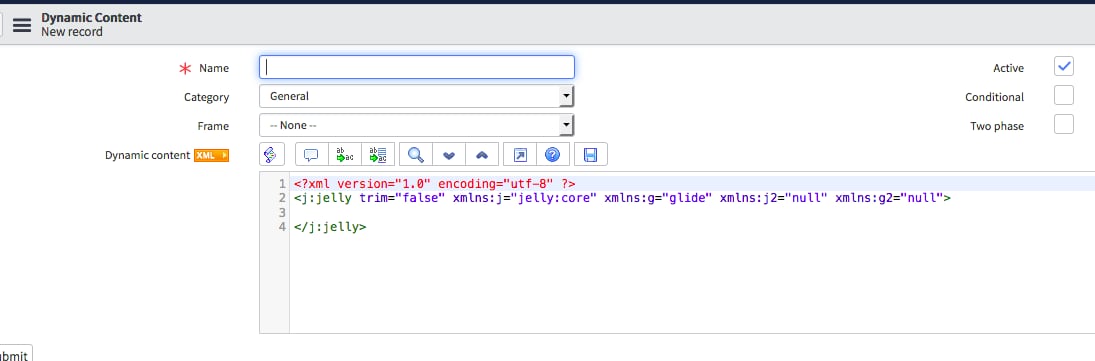
Another way would be adding this script in a dynamic block. and add it to your dashboard.
http://wiki.servicenow.com/index.php?title=Using_Content_Blocks#Dynamic_Blocks&gsc.tab=0
Thanks
Gaurav
- Mark as New
- Bookmark
- Subscribe
- Mute
- Subscribe to RSS Feed
- Permalink
- Report Inappropriate Content
09-07-2017 04:02 AM

- Mark as New
- Bookmark
- Subscribe
- Mute
- Subscribe to RSS Feed
- Permalink
- Report Inappropriate Content
09-07-2017 04:12 AM
Hi Riaz,
Try below script.
A basic knowledge of jelly is required for it.
<?xml version="1.0" encoding="utf-8" ?>
<j:jelly trim="false" xmlns:j="jelly:core" xmlns:g="glide" xmlns:j2="null" xmlns:g2="null">


<g:evaluate   var="jvar_gaDupCheck1" object="true" jelly="true">

var dupRecords = [];
   var gaDupCheck1 = new GlideAggregate('cmdb_ci_computer');
   gaDupCheck1.addQuery('model_category','laptop');
   gaDupCheck1.addAggregate('COUNT', 'asset_tag');
   gaDupCheck1.groupBy('asset_tag');
   gaDupCheck1.addHaving('COUNT', '>', 1);
   gaDupCheck1.query();
   gaDupCheck1;

//commenting the below script
   // while (gaDupCheck1.next()) {
   //   dupRecords.push(gaDupCheck1.asset_tag.toString());
   // }
//gs.print(dupRecords);

</g:evaluate>

   <ul>
<j:while test="${jvar_gaDupCheck1.next()}">
<li>
${gaDupCheck1.asset_tag}
<li>
</j:while>
</j:jelly>
Once you dynamic block it created, just add in your homepage and see for the outcome.
Thanks
Gaurav
- Mark as New
- Bookmark
- Subscribe
- Mute
- Subscribe to RSS Feed
- Permalink
- Report Inappropriate Content
09-07-2017 04:15 AM