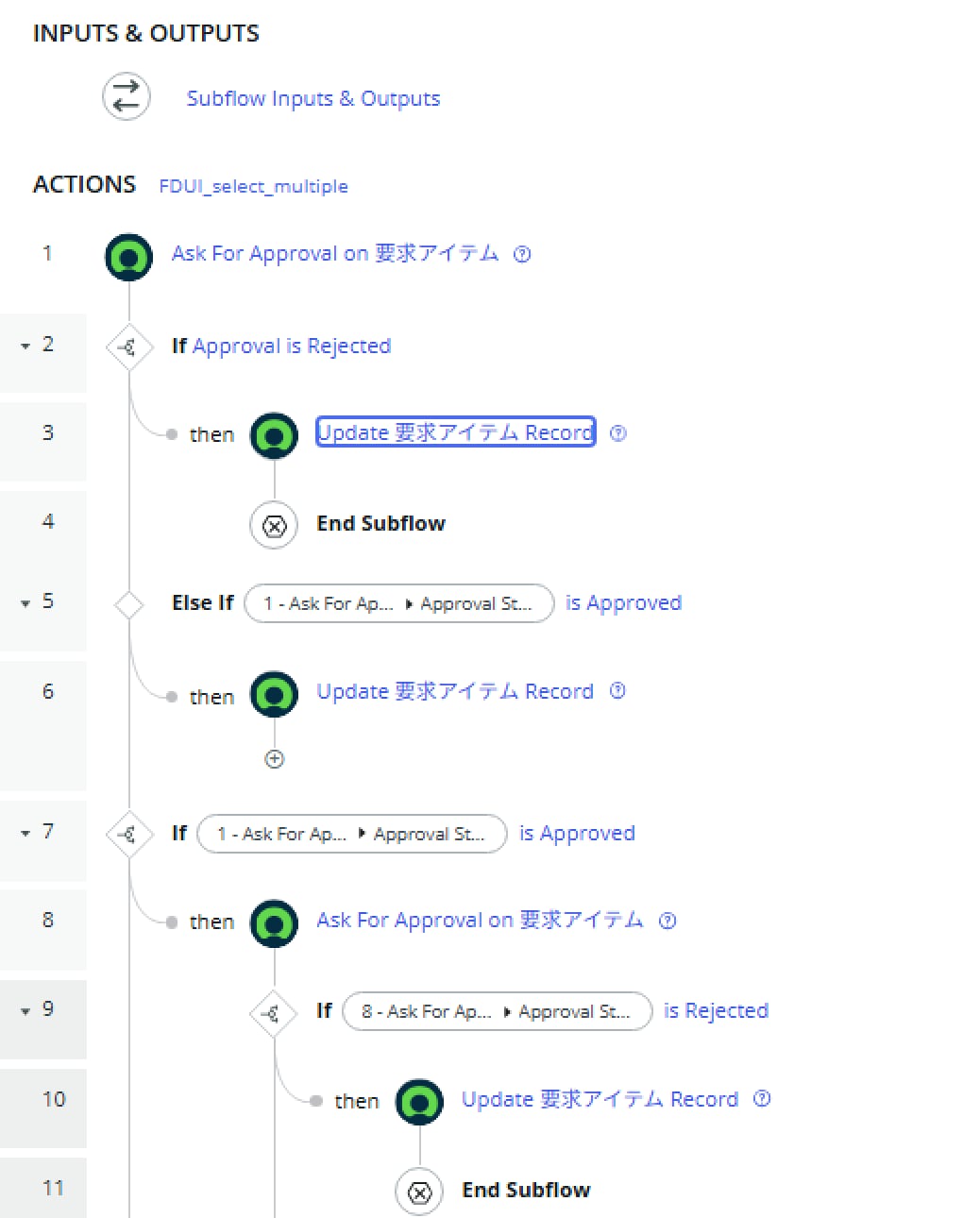
How can I implement a 3-stage approval for RITMs?

- Mark as New
- Bookmark
- Subscribe
- Mute
- Subscribe to RSS Feed
- Permalink
- Report Inappropriate Content
04-02-2026 07:37 AM - edited 04-02-2026 07:38 AM

- Mark as New
- Bookmark
- Subscribe
- Mute
- Subscribe to RSS Feed
- Permalink
- Report Inappropriate Content
04-03-2026 06:09 AM
Yes — controlled by the "Approval" field on the Group Approval record, not on the approval rule itself.
Go to Group Approvals tab on the RITM (or the sysapproval_group table) and check the Approval field. It has two options:
| Value | Behavior |
|---|---|
| Everyone | All group members must approve (your current setting) |
| Anyone | First member to approve is sufficient |
Where to Set This
Option A: On the Approval Rule directly In your catalog item's approval rule, set the Approval field to "Anyone" when defining the group approver.
Option B: Via Business Rule (dynamic control) If the approval rule doesn't expose this field in your version, add a Before Insert Business Rule on sysapproval_group:
(function executeRule(current, previous) {
    // Target specific catalog item approvals
    if (current.parent && current.parent.getTableName() == 'sc_req_item') {
        current.approval = 'anyone';
    }
})(current, previous);
To validate
After submitting a request, check the Group Approvals tab on the RITM. You should see the group listed with Approval = Anyone. Once any single member approves, the group approval resolves as approved and the next stage (Order 200) kicks in.
- Mark as New
- Bookmark
- Subscribe
- Mute
- Subscribe to RSS Feed
- Permalink
- Report Inappropriate Content
04-05-2026 10:50 PM
Thank you for your response. Unfortunately, the flow has higher priority, so the approval engine is not able to run.


- Mark as New
- Bookmark
- Subscribe
- Mute
- Subscribe to RSS Feed
- Permalink
- Report Inappropriate Content
04-05-2026 11:16 PM
The flow fires on RITM creation and proceeds before the approval engine has a chance to create records from the approval rules.
Fix: Add a Flow Logic Wait
At the very start of your flow, before the "Wait For Condition" step, add a brief pause:
Trigger: RITM Created
  ↓
Flow Logic: Wait → 5 seconds      ← add this
  ↓
Wait For Condition → approval = "approved"
  ↓
Fulfillment steps...
This gives the approval engine time to process the approval rules and create the sysapproval_approver records.
If Not — Use a Trigger Condition
Instead of triggering on RITM creation, trigger the flow after the approval outcome:
Trigger: Updated
  Table: sc_req_item
  Condition: Approval CHANGES TO "Approved"
  ↓
Fulfillment steps (no wait needed)
Then create a separate flow or trigger for rejection:
Trigger: Updated
  Table: sc_req_item
  Condition: Approval CHANGES TO "Rejected"
  ↓
Handle rejection...
Summary
| Approach | Pros | Cons |
|---|---|---|
| Wait 5 sec | Simple, keeps one flow | Slight delay, fragile if engine is slow |
| Trigger on approval change | Reliable, no race condition | Two flows needed (approved/rejected) |
