- Mark as New
- Bookmark
- Subscribe
- Mute
- Subscribe to RSS Feed
- Permalink
- Report Inappropriate Content
01-13-2025 10:50 PM
My coding skills are not very good, and I sincerely apologize for any shortcomings.
I am currently learning and have some ideas I would like to ask the community about:
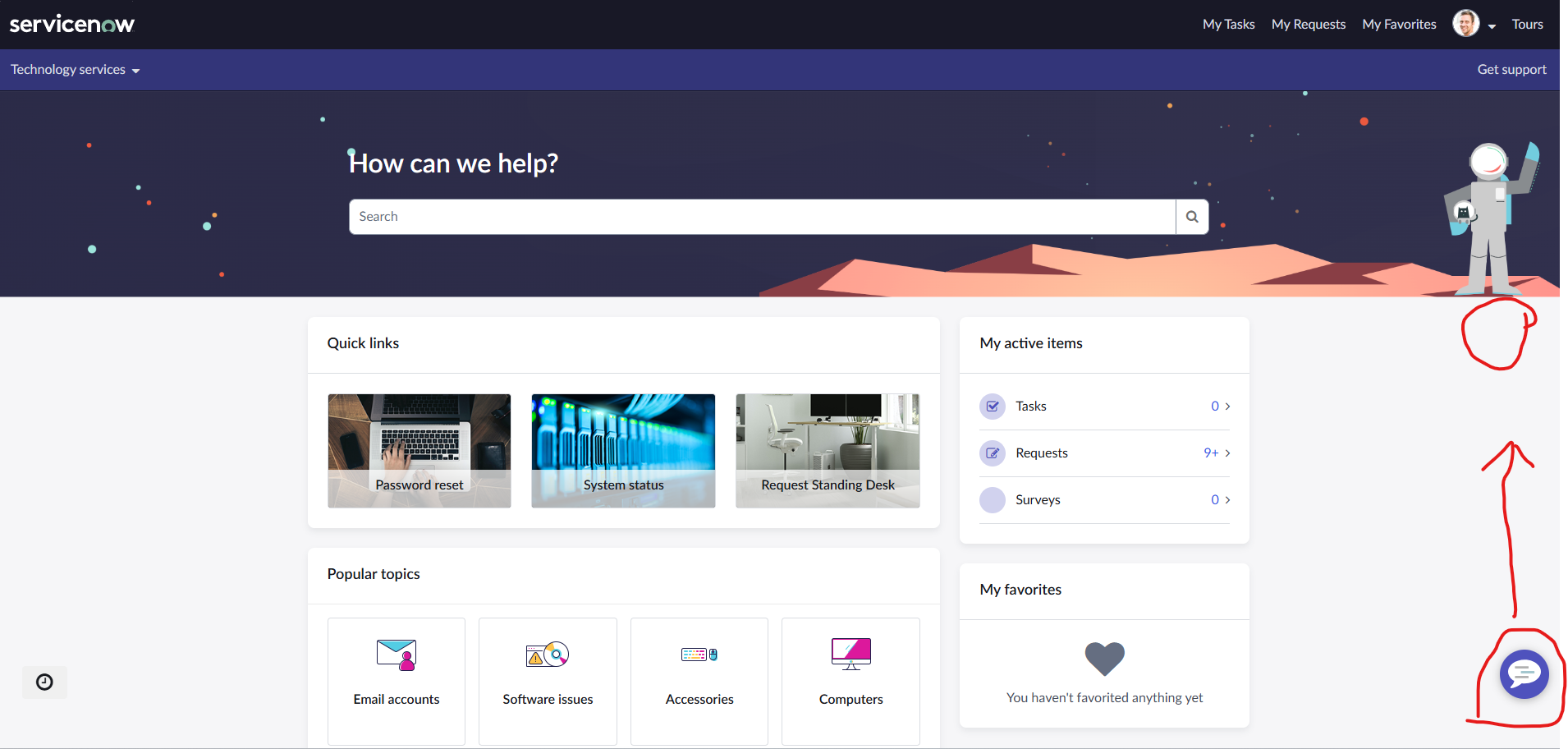
- On my Employee Portal interface (OOTB), the virtual agent icon is displayed by default in the bottom-right corner of the screen. How can I set it to display in the top-right corner (e.g., the area marked by the red circle in the image)?
- Is it possible to display the icon in a specific area of the screen?
- Most of the resources or tutorials I’ve found online only explain how to change the appearance or image of the icon. I haven’t found a guide on how to change its position. If you know any resources, could you share them with me?
thank u very much!
Solved! Go to Solution.

- Mark as New
- Bookmark
- Subscribe
- Mute
- Subscribe to RSS Feed
- Permalink
- Report Inappropriate Content
01-13-2025 10:53 PM
Hi @LexinZ ,
Please follow my solution : https://www.servicenow.com/community/employee-center-forum/how-to-change-position-of-the-virtual-age...
- Mark as New
- Bookmark
- Subscribe
- Mute
- Subscribe to RSS Feed
- Permalink
- Report Inappropriate Content
01-13-2025 10:53 PM
Hi @LexinZ ,
Please follow my solution : https://www.servicenow.com/community/employee-center-forum/how-to-change-position-of-the-virtual-age...
- Mark as New
- Bookmark
- Subscribe
- Mute
- Subscribe to RSS Feed
- Permalink
- Report Inappropriate Content
01-13-2025 10:58 PM
wow,I appreciate it! Thank you so much!
- Mark as New
- Bookmark
- Subscribe
- Mute
- Subscribe to RSS Feed
- Permalink
- Report Inappropriate Content
01-13-2025 11:42 PM