- Subscribe to RSS Feed
- Mark as New
- Mark as Read
- Bookmark
- Subscribe
- Printer Friendly Page
- Report Inappropriate Content
We were used to our major release version cadence of twice year. Then came store releases where for example several Virtual Agent and NLU content packs are updated more regularly. And now, since January there is the NLU Service backend that will also see updates more frequently than twice a year!
What does the above have to do with the NLU version and your ability to take advantage of it? Let me explain.
First, let's talk about NLU versions a bit. When you want to train your NLU Model you send a training request together with the NLU model to the NLU Service Trainer. This backend service is a stack of hard- and software components that is used for not only training solutions, but also for handling NLU prediction requests. This stack is upgraded at times in order to keep up with for example new major releases, patches or because of other technology improvements. Every release of this stack has a version specific to NLU, which is why knowing the NLU version is important from now on.
Note that the information below is valid for customers on a Paris release or Quebec release. For customers that are on Orlando or earlier strongly consider upgrading as you're missing out on a great number of improvements that can make administrative lives easier and give your users a much better user experience.
How would you find out what NLU version your NLU model is trained against? Well, the process for someone with administrative rights is rather simple and goes as follows:
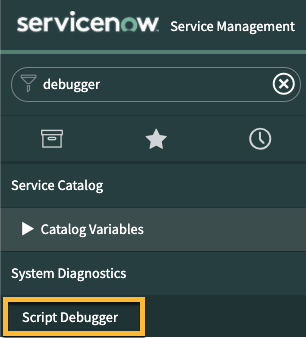
- Open the Script Debugger on the instance (https://<instance url>/$jsdebugger.do?logType=log&&sysparm_nostack=true). Tip: instead of opening it in a separate pop-out window copy the url and open it in another tab
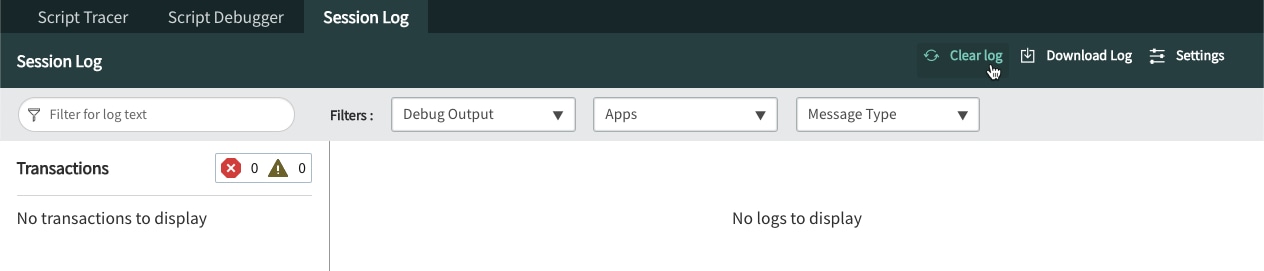
- With the Script Debugger open click on the Session Log tab
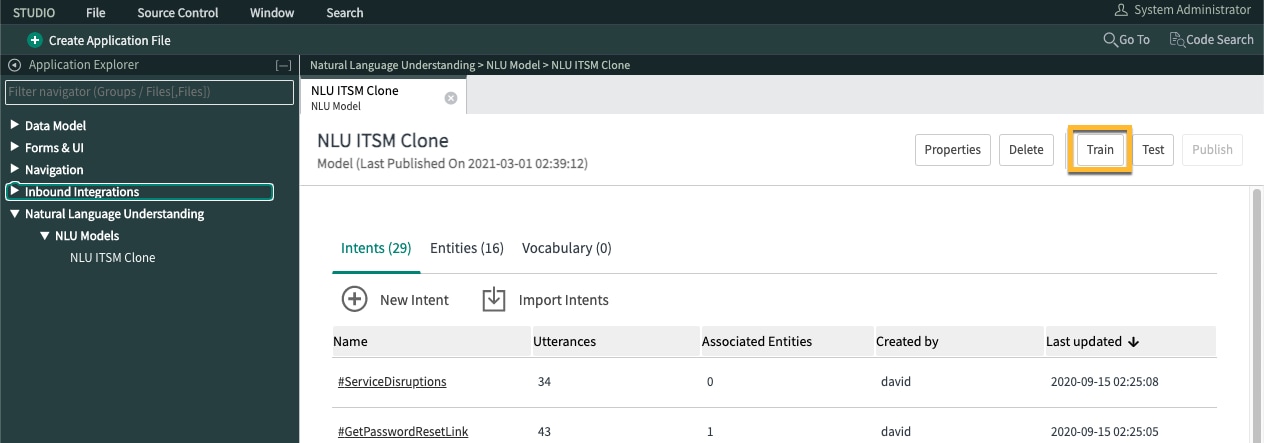
- Go to your NLU model and Train your model. Note this is a Paris release screenshot.
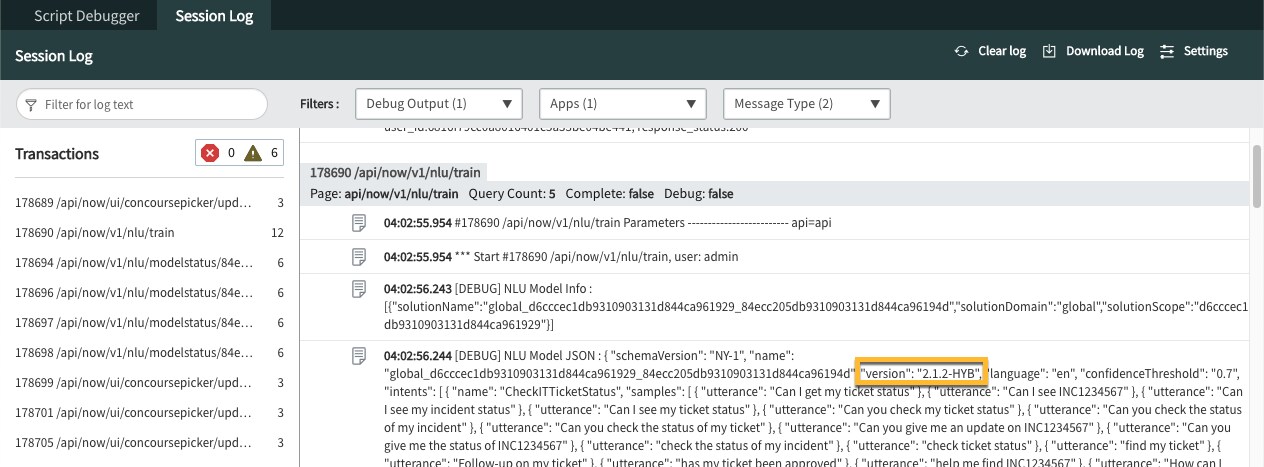
- As soon as you click train your Session Log will fill up with transactions, one of which is for the /api/now/v1/nlu/train transaction and the entry in there starting with NLU Model JSON contains the version of the backend NLU Service used for training the model. In this case that is "version": "2.1.2-HYB" and that corresponds to the backend that was introduced in July of 2020.


Now that we know how to find the version lets discuss how to take advantage of it, or rather control the use of it!
- Let's assume you are running your instance on the Paris release and have already seen some video's or read some information on the improvements coming with the Quebec release. As the NLU Service backend has a different release cadence than the major releases, and moving forward in most cases is backward compatible towards the previous major release version, SPOILER ALERT, this means that the current backend release which works for the Quebec release also works for the Paris release!
- That is rather big news and for a lot of us very interesting and useful as this means there is the option to use the latest backend with the most two current releases, well the most current and the one in early access. How awesome is that.
- You can read all about this backend update in this KB article including the benefits it brings. In short, don't do anything do you environment if you don't want to change anything, but as soon as you create a new NLU model or clone a NLU model then you need to be aware and check the version as you train it via the method described above. If you are not content with the version, for example "version": "3.1.2-HYB", use the steps described in the KB article to control what version you model(s) should use.
- As with everything, the best place to start is on a non production instance to test the above out. From there, clone an existing model or create a new model and import several intents to experience the steps involved. Make sure you have a set of test utterances, e.g. utterances that are not part of the model but that you know should match the various intents in the model, to run against the model on the "older" version and against the model on the "newer" version to assess impact.
- Don't forget, updates to the backend might mean that you have to perform some model tuning efforts or even make changes to the vocabulary. In the case of this update you should revisit the model threshold for sure, as it is more accurate but the spread is also bigger meaning it will identify the right intent with lower prediction scores than before and you will have fewer "in menu" intent predictions.
One final thought and note. If you do start to use system properties to control the versions of your NLU models, don't forget that you did because you will need to update or remove them in the future!
- 3,585 Views
You must be a registered user to add a comment. If you've already registered, sign in. Otherwise, register and sign in.