- Mark as New
- Bookmark
- Subscribe
- Mute
- Subscribe to RSS Feed
- Permalink
- Report Inappropriate Content
12-06-2018 11:59 AM
Linux discoveries fail on the Ref/Rel Linux Serial step (4.1.23 in my discovery steps). Image of step configuration is attached below.
Here are the log entries:
Mid Server agent.log entry:
12/06/18 12:41:02 (011) Worker-Interactive:HorizontalDiscoveryProbe SEVERE *** ERROR *** (104)MergeTableReferenceAndRelationClosure - Relation and/or reference table cmdb_serial_number is not a known CI Type. Check the discovery logs for more details.
Discovery Log entry:
2018-12-06 12:41:02: Relation and/or reference table cmdb_serial_number is not a known CI Type. Check the discovery logs for more details.
2018-12-06 09:41:22: Identification Engine: Discovery status is FAILURE, unable to get error message.
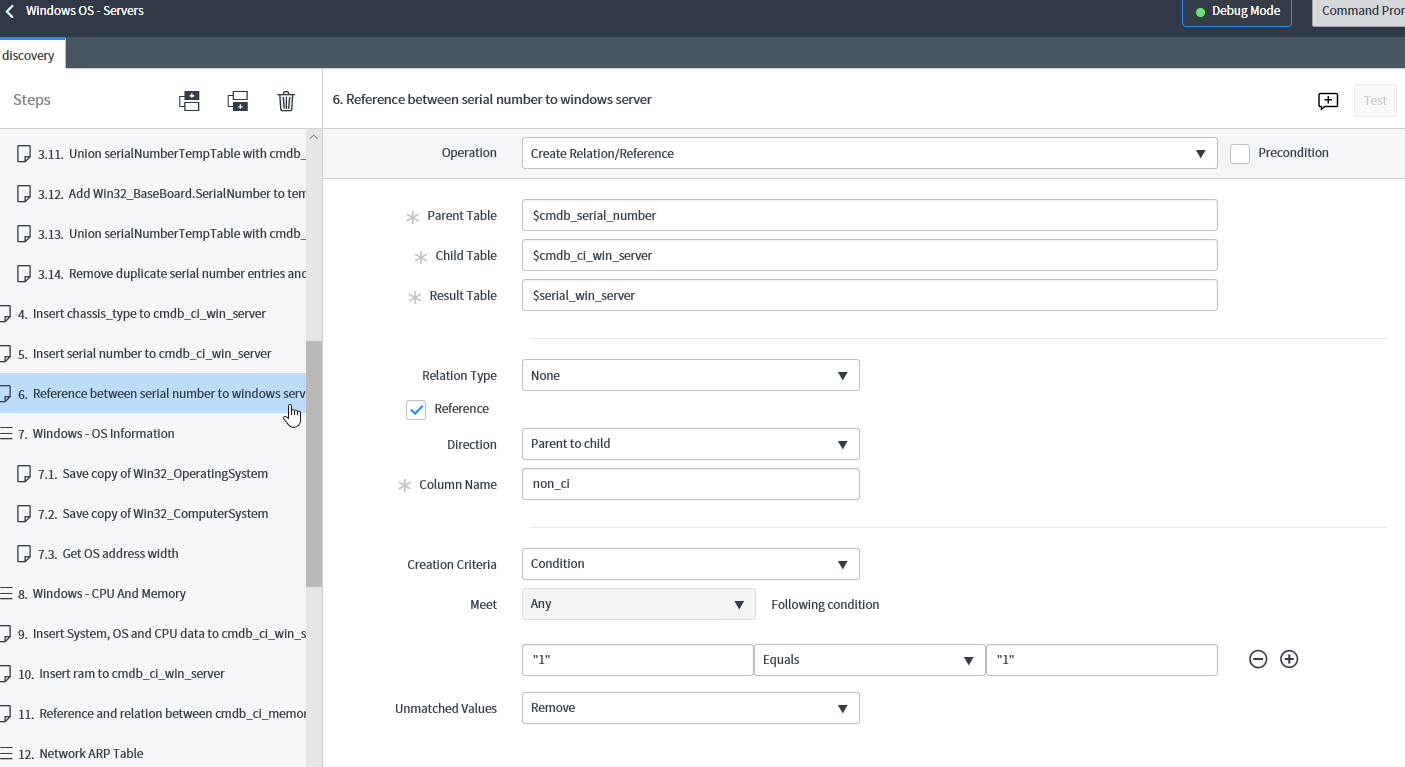
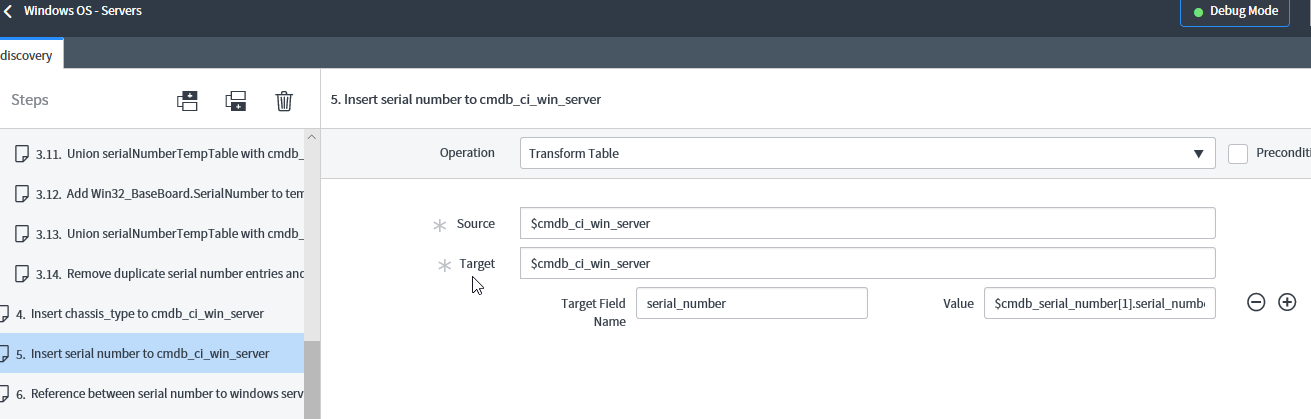
I have the an identical step in the windows discovery which completes without issue. An image of the windows step configuration is also attached.
So far I have attempted the following to resolve the failure:
- I rekeyed the MID server based on recommendations and some success indicated in this ServiceNow community thread.
- Based on the windows server discovery steps, I added a step in the Linux server discovery to insert the serial number to the CMDB_ci_Linux_Server table
Both attempted resolutions result in the same errors from the discovery and MID server logs posted above.
Any suggestions would be greatly appreciated.
Solved! Go to Solution.
- Labels:
-
Discovery
- Mark as New
- Bookmark
- Subscribe
- Mute
- Subscribe to RSS Feed
- Permalink
- Report Inappropriate Content
04-08-2020 09:32 AM
Our error was due to a custom identification rule on the cmdb_ci_linux table, once we disabled the custom identification, and allowed out of the box hardware rule to do the identification , the CI was identified and updated correctly.
- Mark as New
- Bookmark
- Subscribe
- Mute
- Subscribe to RSS Feed
- Permalink
- Report Inappropriate Content
04-06-2020 04:14 AM
Add the related entries from the Hardware identifier related list to the custom Linux identifier rule. Once I did that it all started working.
- Mark as New
- Bookmark
- Subscribe
- Mute
- Subscribe to RSS Feed
- Permalink
- Report Inappropriate Content
04-08-2020 09:32 AM
Our error was due to a custom identification rule on the cmdb_ci_linux table, once we disabled the custom identification, and allowed out of the box hardware rule to do the identification , the CI was identified and updated correctly.