- Mark as New
- Bookmark
- Subscribe
- Mute
- Subscribe to RSS Feed
- Permalink
- Report Inappropriate Content
03-25-2021 09:25 AM
Please note that I have one SLA.
Start Condition:

Pause Condition :

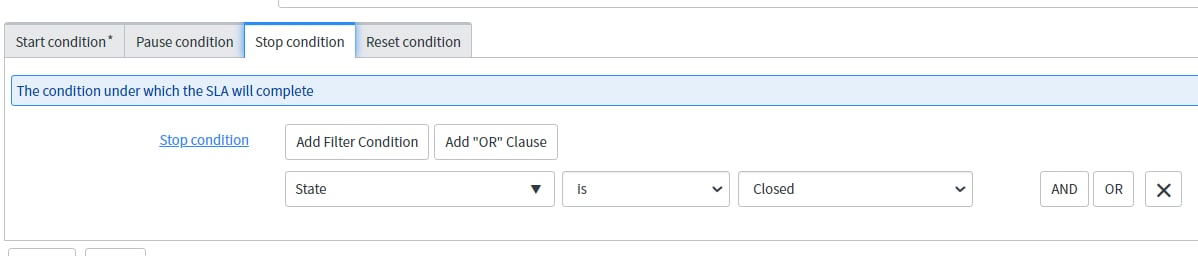
Stop Condition :


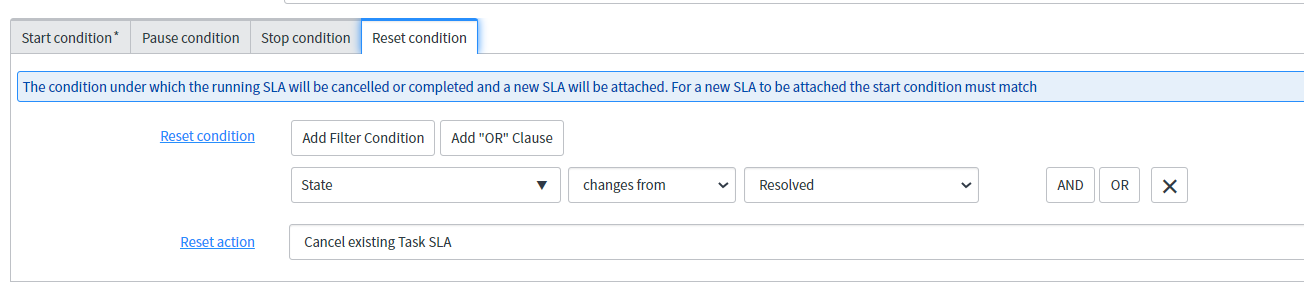
Issue : Once i will resolved the case then again open the case, a new sla will be attached and existing sla will be cancelled. But the actual elapsed time of new sla are not updating in the related list.
If i will again paused the sla and then again change the status of the sla in working progress then actual elapsed time is getting updated in related list.
I am using sla engine as 2011.
Please help me for the same.
Solved! Go to Solution.

- Mark as New
- Bookmark
- Subscribe
- Mute
- Subscribe to RSS Feed
- Permalink
- Report Inappropriate Content
03-25-2021 10:10 AM
So the process is like this:
When you open a task a display business rule(Calc SLAs on Display) will be triggered to update the task_sla
If an update occurs on the task a different business rules(Run SLAs and Process SLAs) will be triggered to update the task_sla
If non of the above take place the schedules will trigger as per their conditions to update the task_slas
This is what usually happens and that is how the task_slas are updated OOTB.
Tudor
- Mark as New
- Bookmark
- Subscribe
- Mute
- Subscribe to RSS Feed
- Permalink
- Report Inappropriate Content
03-26-2021 12:38 AM
Hi Chandrima,
I believe it's perfectly fine to have the system copy over the pause time, otherwise your will not have a clear picture of what's happening, especially with regards to the actual business elapsed time calculation.
But, I'm not saying that I might still be missing something.
Regards,
Tudor