- Mark as New
- Bookmark
- Subscribe
- Mute
- Subscribe to RSS Feed
- Permalink
- Report Inappropriate Content
10-01-2020 02:47 PM
Hello everyone, a pleasre to meet you all. On the reference field when use the user_name to search a user appears first the values of the column name of the sys_user's table.

So, when choose that user, it sets on the name and not the user_name that is what is required to show on the field.

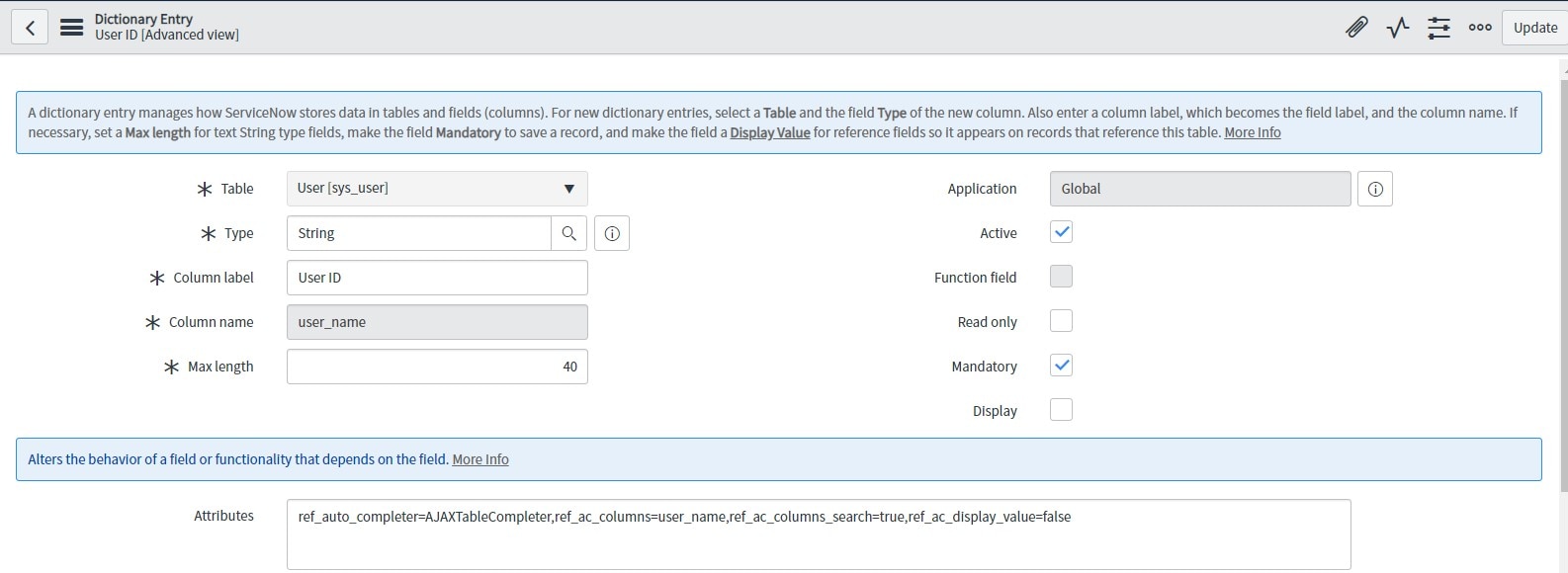
Then I try to edit the Variable Attributes of that reference field and put the following value .
ref_auto_completer=AJAXTableCompleter,ref_ac_columns=user_name,ref_ac_columns_search=true,ref_ac_display_value=falseOn the ref_ac_columns put the column that only want to show and put the ref_ac_display_value on false to hide the display value, but I think it doesn't work on Service Catalog.

Also, edit the attributes of the column user_name and put the same value as above.

But, it didn't work.

Thanks in advance
Claudio
Solved! Go to Solution.

- Mark as New
- Bookmark
- Subscribe
- Mute
- Subscribe to RSS Feed
- Permalink
- Report Inappropriate Content
10-01-2020 02:59 PM
For catalog item variables, this is the designed behavior. You can add additional fields by which you can search, but the value shown in a reference field will always be the display value of the table you are referencing; in this case, the name of the user.
As a work-around for situations like this you can use a Lookup Select Box; with some config it can behave like a reference field.
Set the table under type specification to be sys_user.
Set the lookup value to Sys ID
For lookup label fields(s) enter: user_name
Add a variable attribute of is_searchable_choice=true
The result is something like a reference field where you can look up a record based on the user_name field, but the "backend value" is the sys_id of the user, so you can still easily lookup extended values if needed.
If you don't need it to act like a reference field and just hold the value for user_name, set User ID as the lookup value.

Hope this helps!
If this was helpful or correct, please be kind and click appropriately!
Michael Jones - Proud member of the CloudPires Team!
- Mark as New
- Bookmark
- Subscribe
- Mute
- Subscribe to RSS Feed
- Permalink
- Report Inappropriate Content
10-01-2020 02:59 PM
For catalog item variables, this is the designed behavior. You can add additional fields by which you can search, but the value shown in a reference field will always be the display value of the table you are referencing; in this case, the name of the user.
As a work-around for situations like this you can use a Lookup Select Box; with some config it can behave like a reference field.
Set the table under type specification to be sys_user.
Set the lookup value to Sys ID
For lookup label fields(s) enter: user_name
Add a variable attribute of is_searchable_choice=true
The result is something like a reference field where you can look up a record based on the user_name field, but the "backend value" is the sys_id of the user, so you can still easily lookup extended values if needed.
If you don't need it to act like a reference field and just hold the value for user_name, set User ID as the lookup value.
Hope this helps!
If this was helpful or correct, please be kind and click appropriately!
Michael Jones - Proud member of the CloudPires Team!
- Mark as New
- Bookmark
- Subscribe
- Mute
- Subscribe to RSS Feed
- Permalink
- Report Inappropriate Content
10-06-2020 11:50 AM
Thank you very much!
- Mark as New
- Bookmark
- Subscribe
- Mute
- Subscribe to RSS Feed
- Permalink
- Report Inappropriate Content
08-25-2021 01:10 AM
It's Working well.
Thanks


- Mark as New
- Bookmark
- Subscribe
- Mute
- Subscribe to RSS Feed
- Permalink
- Report Inappropriate Content
10-01-2020 03:14 PM
To show value of User ID (aka user_name) instead of name, set "Display" of user_name to true in the Dictionary Entries on sys_user table.
- In Application Navigator, enter "sys_user.list" to display user table.
- Right click on the header and choose "Configure" > "Dictionary"
- Search "Column name" equal to "user_name"
- Set Display to "true"