- Mark as New
- Bookmark
- Subscribe
- Mute
- Subscribe to RSS Feed
- Permalink
- Report Inappropriate Content
06-17-2022 02:11 PM
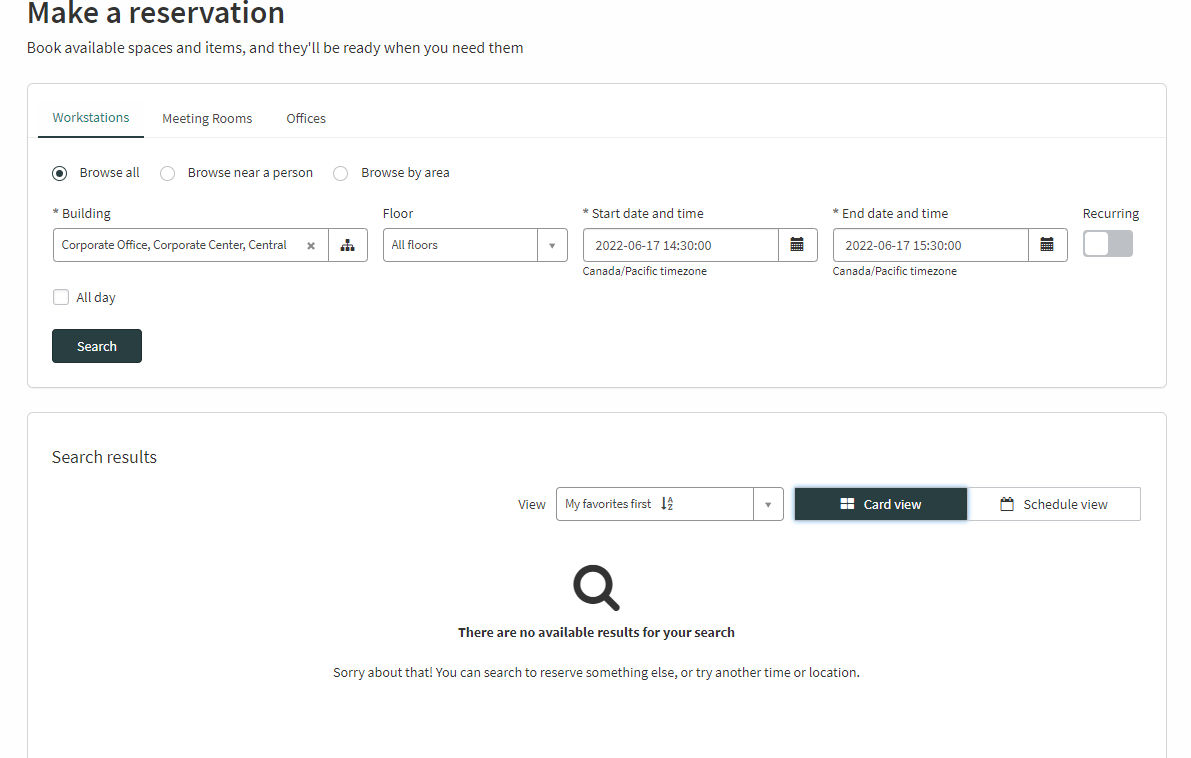
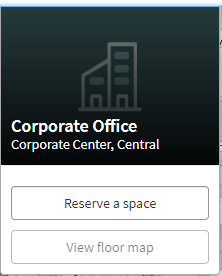
Hi all, I followed the instructions in this article to import a map to my instance but I can't view any of the reservable spaces in the building from the Make a Reservation page. Any idea what is going on? I can't tell if I made a mistake or if I should open a support ticket for it.
This is the page on the Make a reservation page:

And this is the page for one of the spaces I'm trying to see:

Solved! Go to Solution.
- Mark as New
- Bookmark
- Subscribe
- Mute
- Subscribe to RSS Feed
- Permalink
- Report Inappropriate Content
06-19-2022 11:26 PM
It is best to check the reservable filter in your reservable modules:
Workplace Reservation Management > Administration > Reservable Module (sn_wsd_rsv_reservable_module.list)
Verify the query matches your locations. Maybe there is a filter on the building/floor that requires them to be active and/or reservable too.
- Mark as New
- Bookmark
- Subscribe
- Mute
- Subscribe to RSS Feed
- Permalink
- Report Inappropriate Content
06-19-2022 11:26 PM
It is best to check the reservable filter in your reservable modules:
Workplace Reservation Management > Administration > Reservable Module (sn_wsd_rsv_reservable_module.list)
Verify the query matches your locations. Maybe there is a filter on the building/floor that requires them to be active and/or reservable too.
- Mark as New
- Bookmark
- Subscribe
- Mute
- Subscribe to RSS Feed
- Permalink
- Report Inappropriate Content
06-22-2022 11:14 AM
This was the issue, thank you! The reservable module was set to Area is reservable but no areas were created in Map Studio.