- Mark as New
- Bookmark
- Subscribe
- Mute
- Subscribe to RSS Feed
- Permalink
- Report Inappropriate Content
03-18-2022 09:53 AM
Hello People,
I'm building a flow designer (Rome Version) where I have a value as a string (007426) and I need to convert it to a number (7426)
or at least remove the leading zeros in order to compare the result with another value
I'm trying to use the resource below (https://docs.servicenow.com/bundle/sandiego-servicenow-platform/page/administer/flow-designer/refere...)

but the option doesn't appear for me in the functions step

Do I need to do something different or is it a version issue? In this case how could I be able to perform this operation in the rome version?
Solved! Go to Solution.
- Labels:
-
Automated Test Framework

- Mark as New
- Bookmark
- Subscribe
- Mute
- Subscribe to RSS Feed
- Permalink
- Report Inappropriate Content
03-18-2022 10:21 AM
I figured it out
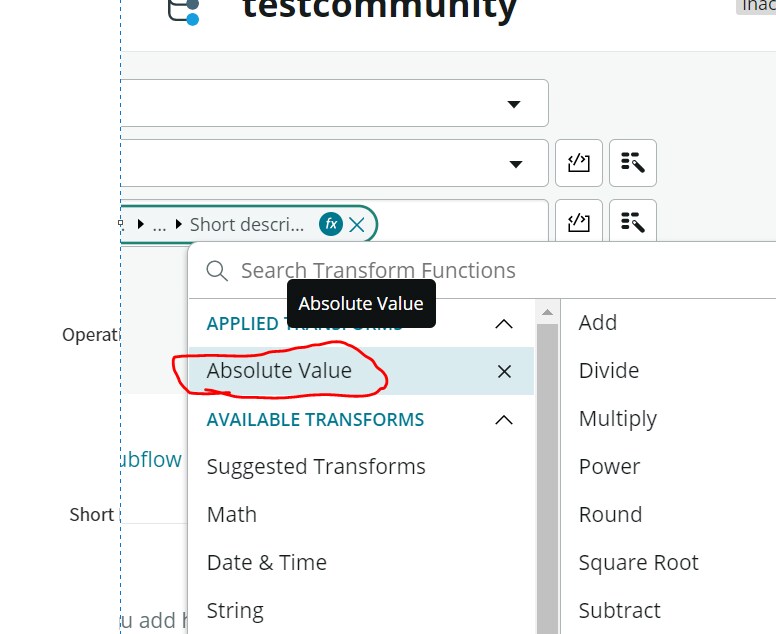
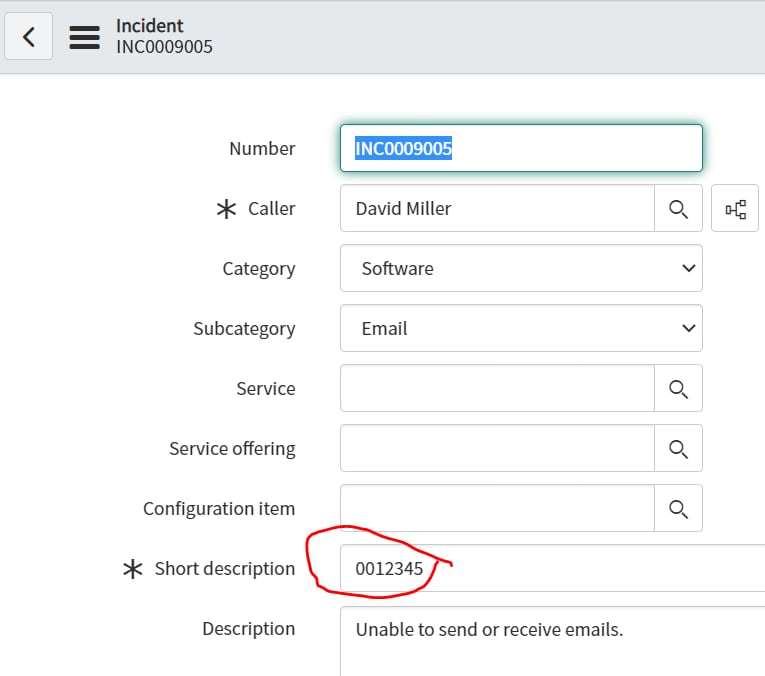
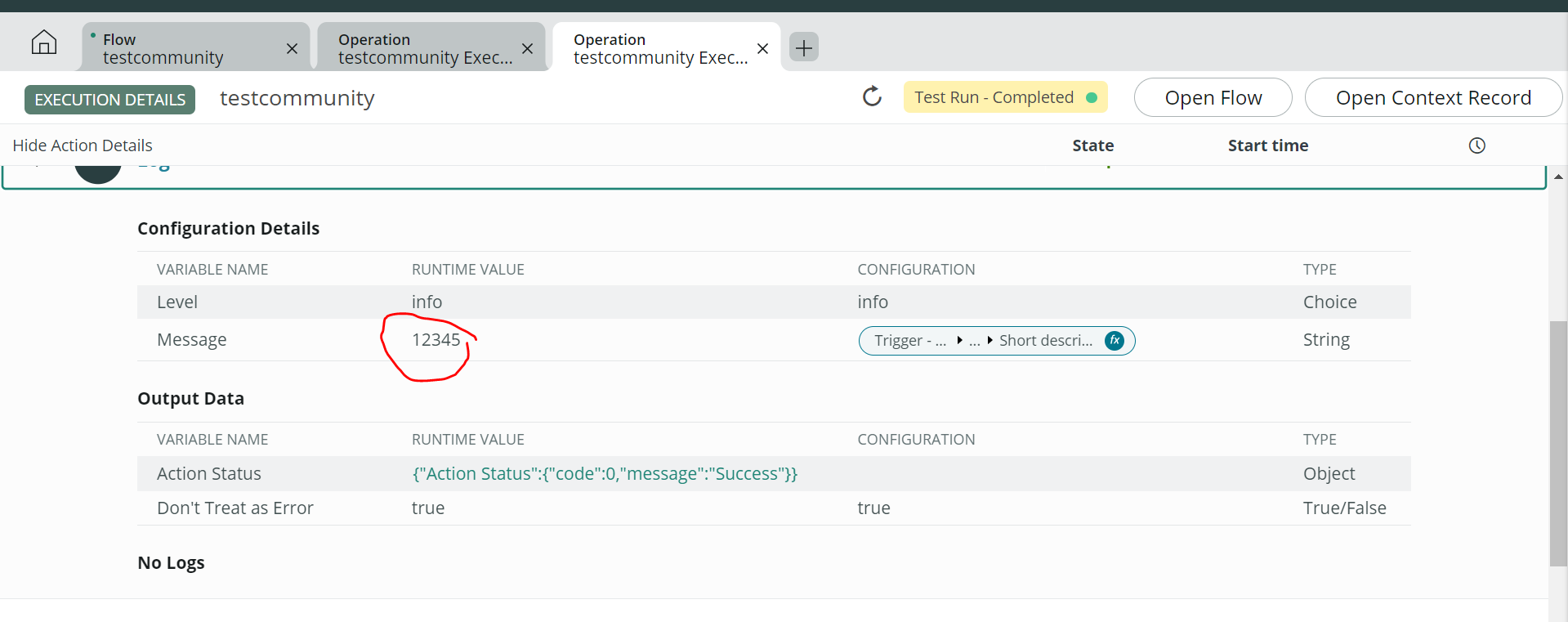
You need to use math function -> Absolute value, it converts 0012345 to 12345


- Mark as New
- Bookmark
- Subscribe
- Mute
- Subscribe to RSS Feed
- Permalink
- Report Inappropriate Content
03-18-2022 10:12 AM
007426 is also a number ? not sure if string to number would truly work in this case. it can do something like below
Example
- Input:
“500” - Output:
500
solution : have you tried fx where you can write a function
s = s.replace(/^0+/, '');

reference : https://stackoverflow.com/questions/8276451/remove-truncate-leading-zeros-by-javascript-jquery- Mark as New
- Bookmark
- Subscribe
- Mute
- Subscribe to RSS Feed
- Permalink
- Report Inappropriate Content
03-18-2022 10:21 AM
I figured it out
You need to use math function -> Absolute value, it converts 0012345 to 12345
- Mark as New
- Bookmark
- Subscribe
- Mute
- Subscribe to RSS Feed
- Permalink
- Report Inappropriate Content
03-21-2022 07:28 AM
It worked wonderfully, Thank you Anil!