- Mark as New
- Bookmark
- Subscribe
- Mute
- Subscribe to RSS Feed
- Permalink
- Report Inappropriate Content
07-29-2022 06:50 AM
Hi All,
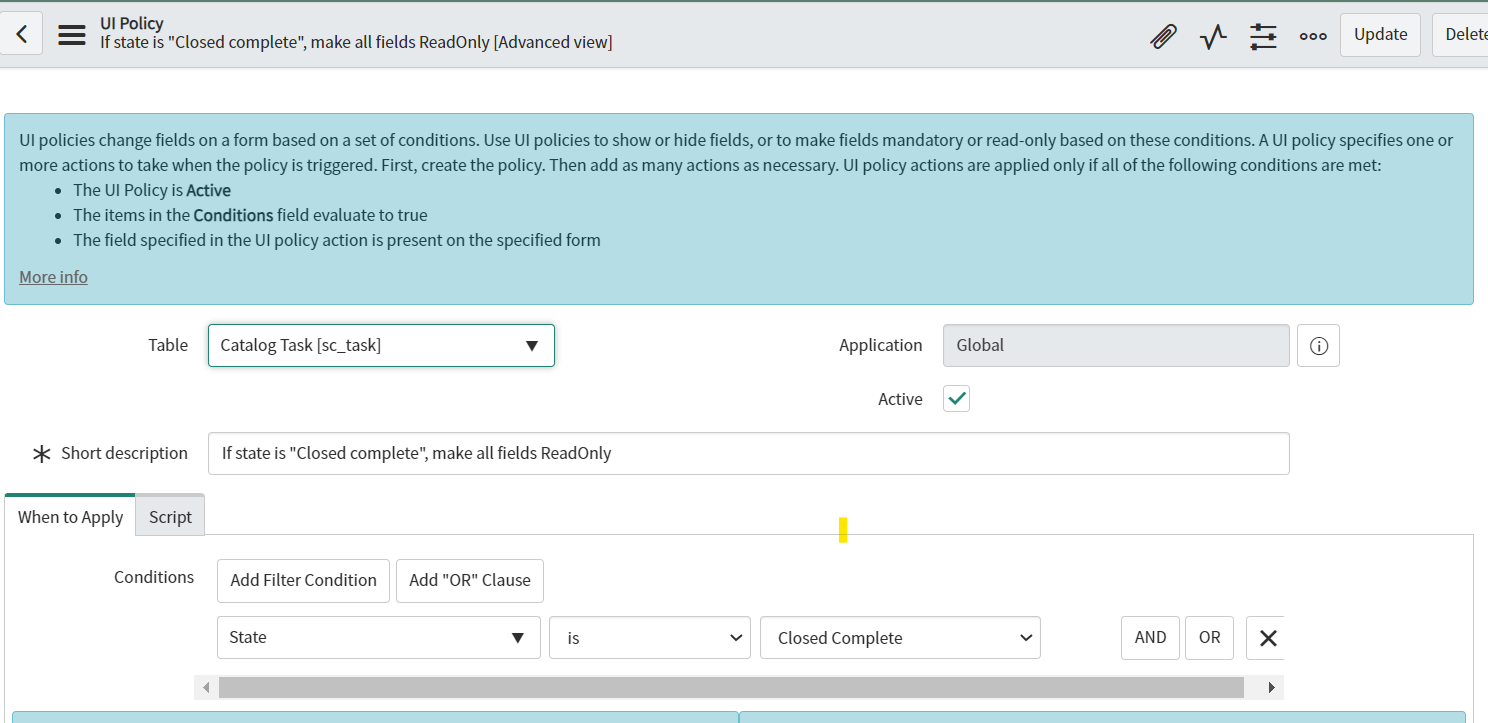
I wrote a UI policy to make all fields read-only when the Catalog task state is completed. But while changing the state only all fields are getting read-only (refer attached print screens). As per the requirement after saving the form fields should become read-only. Please help me with this.
Thanks in advance!!
Solved! Go to Solution.
- Labels:
-
Service Catalog


- Mark as New
- Bookmark
- Subscribe
- Mute
- Subscribe to RSS Feed
- Permalink
- Report Inappropriate Content
07-29-2022 06:59 AM
Hi
UI policy works onChange as well.
So in your case, you need to deactivate that ui policy and write an onLoad client script as below
if(g_form.getValue('state') == '3') //check closed complete backend value once
{
var fields = g_form.getEditableFields();
for (var x = 0; x < fields.length; x++) {
    g_form.setReadOnly(fields[x], true);
}
}
Mark as correct and helpful if it solved your query.
Regards,
Sumanth

- Mark as New
- Bookmark
- Subscribe
- Mute
- Subscribe to RSS Feed
- Permalink
- Report Inappropriate Content
07-29-2022 06:53 AM
Hello,
Write simple on load client script because UI policy runs both on change as well as on load
var fields = g_form.getEditableFields();
for (var x = 0; x < fields.length; x++) {
      g_form.setMandatory(fields[x], true);
}
Regards
Regards,
Musab
- Mark as New
- Bookmark
- Subscribe
- Mute
- Subscribe to RSS Feed
- Permalink
- Report Inappropriate Content
07-29-2022 06:59 AM
Hi
UI policy works onChange as well.
So in your case, you need to deactivate that ui policy and write an onLoad client script as below
if(g_form.getValue('state') == '3') //check closed complete backend value once
{
var fields = g_form.getEditableFields();
for (var x = 0; x < fields.length; x++) {
    g_form.setReadOnly(fields[x], true);
}
}
Mark as correct and helpful if it solved your query.
Regards,
Sumanth

- Mark as New
- Bookmark
- Subscribe
- Mute
- Subscribe to RSS Feed
- Permalink
- Report Inappropriate Content
07-29-2022 07:01 AM
error in first line of code
if(g_form.getValue('state' == '3')) It should be like below,
if(g_form.getValue('state') == '3') Regards,
Abhijit
ServiceNow MVP
- Mark as New
- Bookmark
- Subscribe
- Mute
- Subscribe to RSS Feed
- Permalink
- Report Inappropriate Content
07-29-2022 08:20 AM
Hi Sumanth,
Its perfectly working now.
Many Thanks!!