일정 계획 수립
직원이 사무실로 복귀할 수 있도록 공간 할당을 관리합니다.
일정 계획 수립 개요
일정 계획은 프로젝트 관리자가 프로젝트 시간 범위를 기반으로 직원 할당을 할당하고 관리할 수 있는 간소화된 환경을 제공합니다.
프로젝트 관리자는 다음을 수행할 수 있습니다.
- 프로젝트에 할당된 직원 목록 보기
- 프로젝트에 할당된 공간 목록 보기
- 특정 기간에 대한 일정 계획을 생성하여 공간을 직원에게 매핑합니다.
- 일정 계획을 실행하여 사용자의 직장 프로파일에 공간을 할당합니다.
일정 계획 수립에 액세스
일정 플래너 모듈을 사용하려면 다음 플러그인을 설치해야 합니다.
- 워크플레이스 센터
- Workplace Space Management
ServiceNow Store에서 플러그인을 설치할 수 있습니다. ServiceNow Store 웹 사이트를 방문하여 사용 가능한 모든 앱을 보고 스토어에 요청을 제출하는 방법을 확인할 수도 있습니다. 출시된 모든 앱의 누적 릴리스 정보는 을 ServiceNow Store 릴리스 정보참조하십시오.
중요사항:
일정 계획을 수립할 수 있도록 속성 값을 sn_wsd_core.ALLOCATION_TYPE 설정해야 합니다.
일정 플래너에 액세스하려면 다음으로 이동하십시오. , 그런 다음 작업 공간에서 일정 플래너 모듈을 선택합니다.
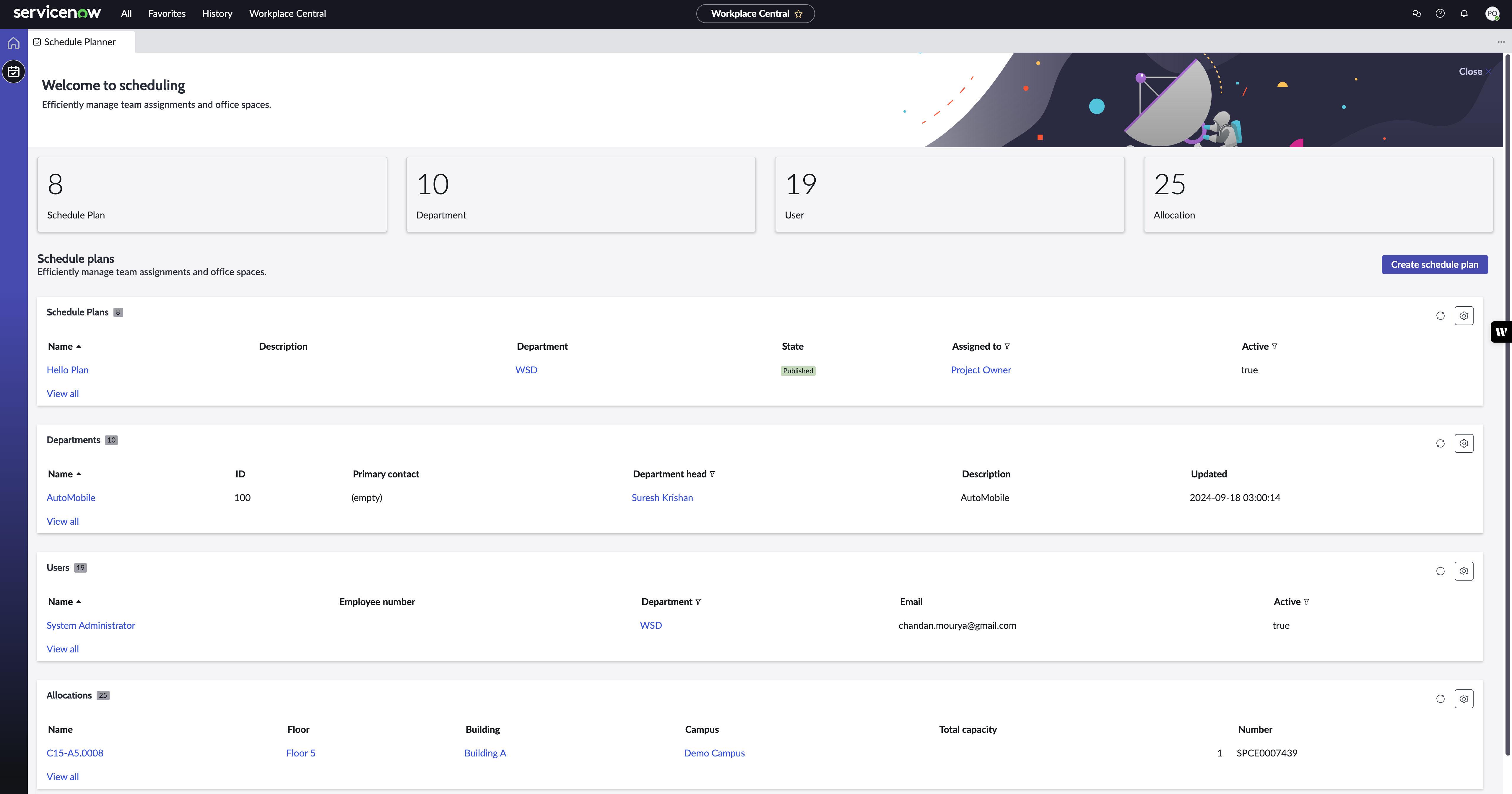
프로젝트 소유자는 생성된 일정 계획, 사용자에게 할당된 프로젝트, 프로젝트에 할당된 공간 및 사용자를 볼 수 있습니다. 일정 계획을 생성하거나 기존 일정 계획을 편집할 수 있습니다. 자세한 내용은 일정 계획 수립 작업 문서를 참조하십시오.
주:
프로젝트 소유자는 자신에게 할당된 프로젝트에 대한 일정 계획을 만들 수 있습니다. 다음 필드에서 사용자에게 프로젝트를 할당할 수 있습니다.
- 부서의 기본 연락처 필드
- 비용 센터의 관리자 필드
- 직장 엔터티의 그룹별 관리 또는 관리자 필드
속성에 따라 sn_wsd_core.ALLOCATION_TYPE 프로젝트 목록에 대해 필드 중 하나만 고려됩니다.
일정 계획 상태
일정 계획은 다음 상태 중 하나일 수 있습니다.
- 초안: 프로젝트 소유자가 새 일정 계획을 만들었지만 상세 정보를 채우지 않았거나 직장 할당을 시작하지 않았습니다.
- 진행 중: 프로젝트 소유자가 일정 계획 상세 정보를 입력했으며 직장 위치가 사용자에게 할당되고 있습니다.
- 게시됨: 일정 계획이 생성되고 직장 위치가 모든 사용자에게 할당됩니다.
- 완료: 일정 계획이 지정된 종료 날짜에 도달하고 직장 위치 할당이 비활성화됩니다.
- 취소됨: 프로젝트 소유자가 일정 계획을 취소했으며 직장 위치 할당이 비활성 상태가 됩니다.
주:
이 Complete the lapsed schedule plan 작업은 매일 실행되어 종료 날짜에 도달한 일정 계획을 확인하고 완료 상태로 전환합니다.