Promote functionality by entering a query and testing the Enterprise Graph schema.
Avant de commencer
Role required: admin
Procédure
-
Navigate to .
-
Select Open your last view to load and view the recently opened Enterprise Graph schema.
The Enterprise graph schema opens in the Knowledge Graph canvas page.
-
From the toolbar, select Test.
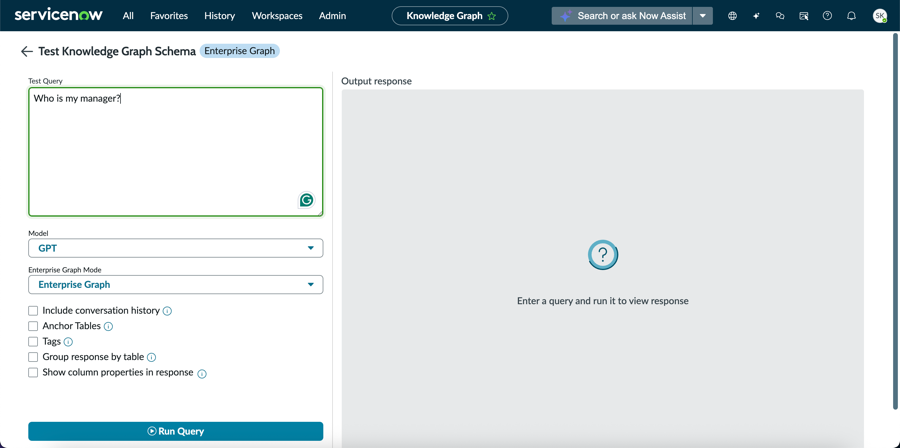
You are navigated to Test Knowledge Graph Schema page.
-
In the Query section of the Test Knowledge Graph Schema window, enter your question.
-
Select an LLM model from the following:
- NowLLM
- Claude
- NowLLM-LTS
- Gemini
- GPT

-
Select an Enterprise Graph mode.
The options are:
- Enterprise Graph
- Enterprise Graph (Small)

- Facultatif :
Select Include conversation history check box to add the any previous chats.
- Facultatif :
Select Anchor Tables check box to add the Anchor tables.
- Facultatif :
Select Tags check box to add the associated tags.
In Enterprise Graph (Small) mode, tags are mandatory.
- Facultatif :
Select Group response by table to sort the results.
- Facultatif :
Select Show column properties in response to view the column properties along with associated data.
-
Select Run Query.