Certificates page
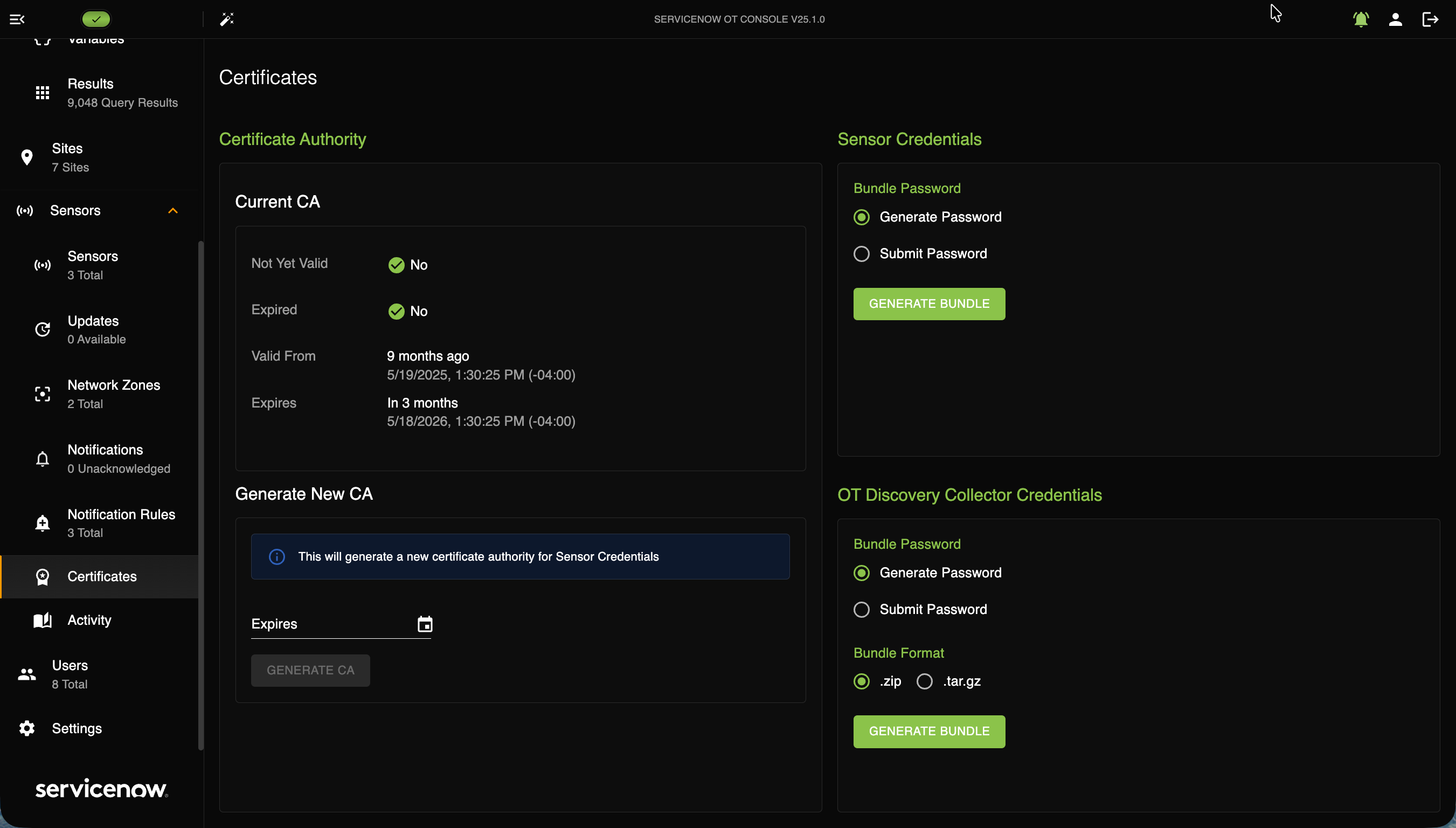
The Certificates page lets you access data regarding your certificates, Sensor credentials, and Collector credentials.
The following image shows the Certificates page.
Certificate Authority
In the Certificate Authority section, you can generate a new certificate by choosing the expiration date and selecting Generate.
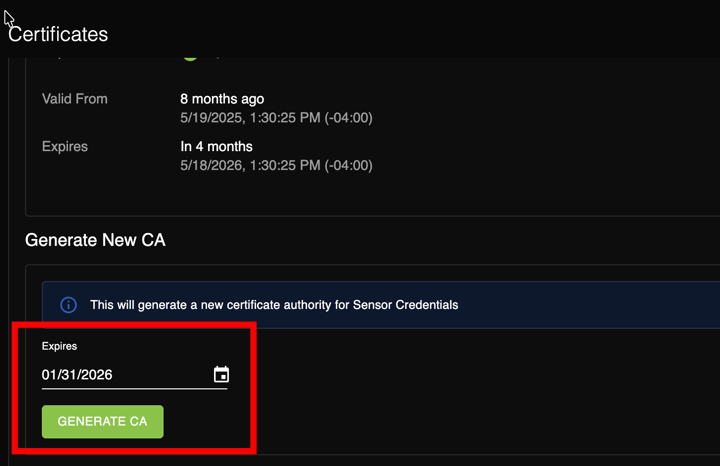
On the Certificate page, you can do the following.
- Generate a Certificate Authority.
- Generate a Sensor Credential bundle password or submit one.
- Generate a Collector Bundle password or submit one and set up the bundle format.
Sensor Credentials
In the Sensor Credentials section, you can generate or submit a password for sensor credentials and then select Generate Bundle.
Remarque :
The Sensor certificate automatically renews when the Console certificate is renewed.
Collector Credentials
In the Collector Credentials section, you can generate Collector credentials, generate a password bundle, and submit a bundle with either a ZIP file or a tar.gz (tgz) formatted file. Select the zip format for Window collectors and the
tar.gz format for Linux collectors.
Remarque :
When ready, select Generate Bundle.The credentials are formatted in JSON.
Remarque :
The certificate for the Discovery Console for OT and the Discovery Sensor for OT automatically renews when it is within 30 days of its expiration date.