Use Now Assist to create a flow for your app in ServiceNow Studio.
Before you begin
Role required: admin or delegated_developer
Procedure
-
Navigate to the We Volunteer app dashboard, and select .
-
Enter Global in the Application field.
-
Under the Automation category, select Flow.
-
Select Continue.
-
On the Build with Now Assist tab, enter the following information:
- Flow name: Update Event State to Expired
- Now Assist directions: Create a flow that runs every day at midnight and then find event(x_snc_wevolunteer_event) records for where ends(ends) field value is of yesterday. Iterate
over them. move the state to "expired," and then send a notification to the organizer of the event record.
-
Select Generate flow preview.
Note: If you're prompted to keep or remove formatting in pasted content, select Remove formatting.
The flow is generated on the right side of your screen in a flow preview.
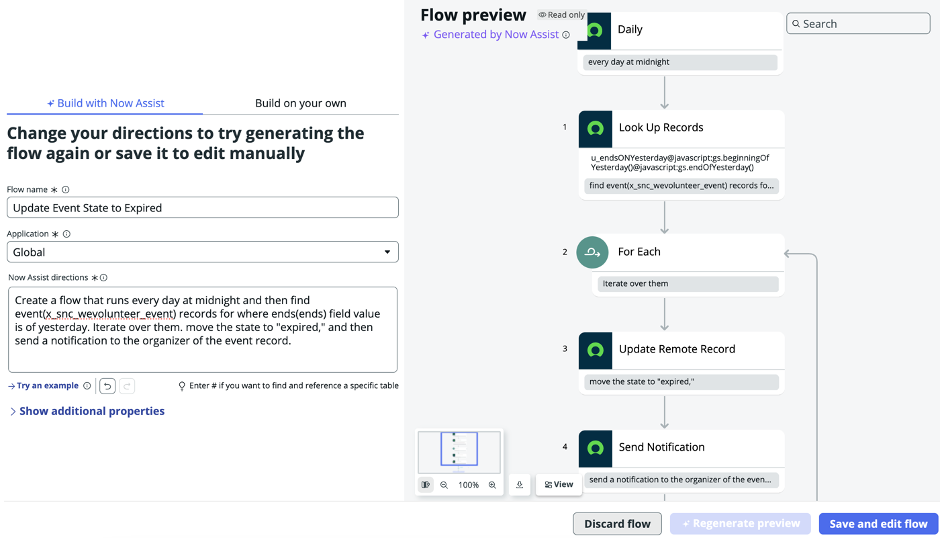
-
Select Save and edit flow.