Breakdown Mapping for Hour of Day PA reporting

- Mark as New
- Bookmark
- Subscribe
- Mute
- Subscribe to RSS Feed
- Permalink
- Report Inappropriate Content
04-29-2020 01:36 PM
Im so close I can feel it!
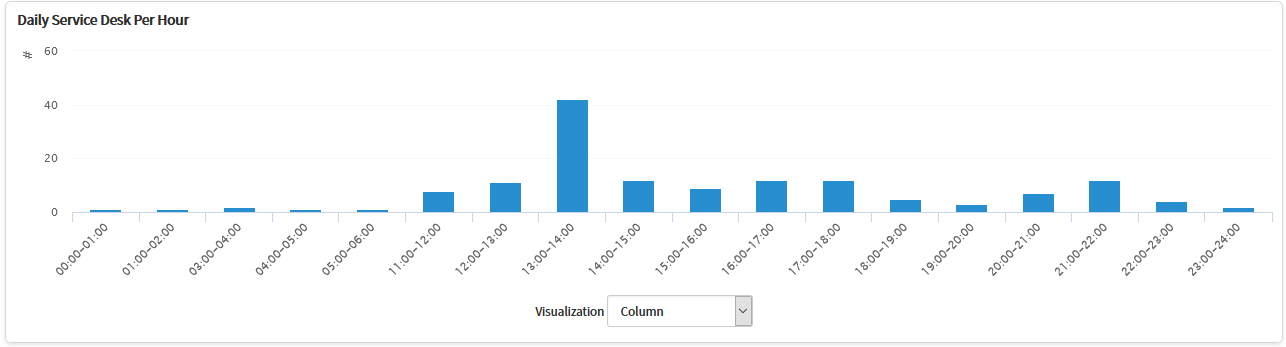
but I still need some help. I created widget called 'Daily Service Desk Per Hour'

The widget should show a breakdown of incidents per hour from the following day.
the issue is the incidents are not created and displayed in the correct column as you can see below.

In this example I clicked on the column for incidents opened from 11:00-12:00 but it show opened incidents from 4:00-5:00.
Widget:

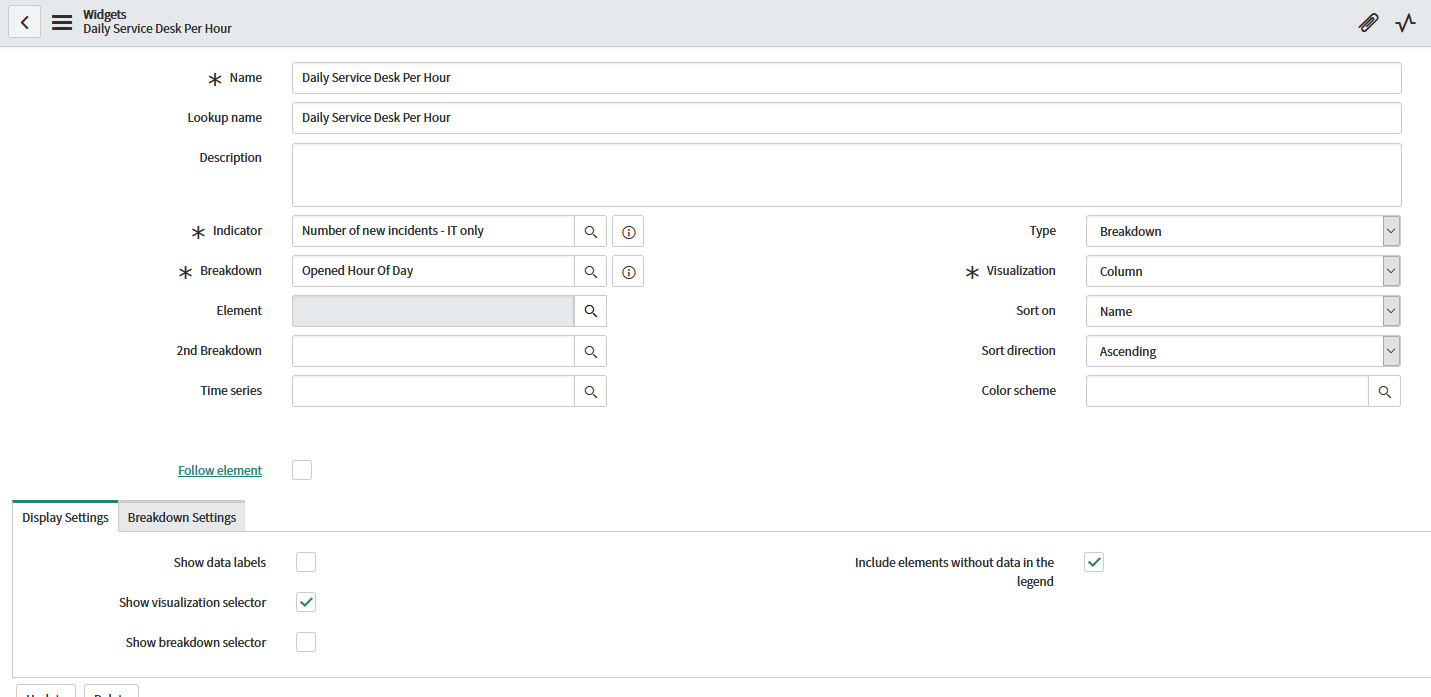
Breakdown:

Any help on why the widget doesn't show the correct incidents within the hours of the day?
- Labels:
-
Dashboard
-
Performance Analytics
-
Reporting


- Mark as New
- Bookmark
- Subscribe
- Mute
- Subscribe to RSS Feed
- Permalink
- Report Inappropriate Content
04-29-2020 05:59 PM
I haven't tested this, but you need something that gets the local time.
current.opened_at.getLocalTime().getByFormat('H');- Mark as New
- Bookmark
- Subscribe
- Mute
- Subscribe to RSS Feed
- Permalink
- Report Inappropriate Content
04-30-2020 08:39 AM
No dice. Comes back with No Data on the widget.
- Mark as New
- Bookmark
- Subscribe
- Mute
- Subscribe to RSS Feed
- Permalink
- Report Inappropriate Content
04-30-2020 10:17 AM
I always forget what is an object and is not, we may need to force this to an GlideDataTime.
current.opened_at.getGlideObject().getLocalTime().getByFormat('H');If that doesn't work, we can force it:
new GlideDateTime(current.opened_at).getLocalTime().getByFormat('H');- Mark as New
- Bookmark
- Subscribe
- Mute
- Subscribe to RSS Feed
- Permalink
- Report Inappropriate Content
04-30-2020 11:36 AM
Both lines when the job runs results in no errors but the Widget still show "No data to display" when refreshed.
Also, thanks for the help.
- Mark as New
- Bookmark
- Subscribe
- Mute
- Subscribe to RSS Feed
- Permalink
- Report Inappropriate Content
04-30-2020 12:40 PM
I tested this one
new GlideDateTime(current.opened_at).getLocalTime().getByFormat('H');and it did work, but scripts do not work on real-time indicators. I was reminded of this because I was viewing one and the results were always empty. when I looked at yesterday (after recollecting for it), I saw the expected results in the timezone for my job.