Reprocess Auto Query results
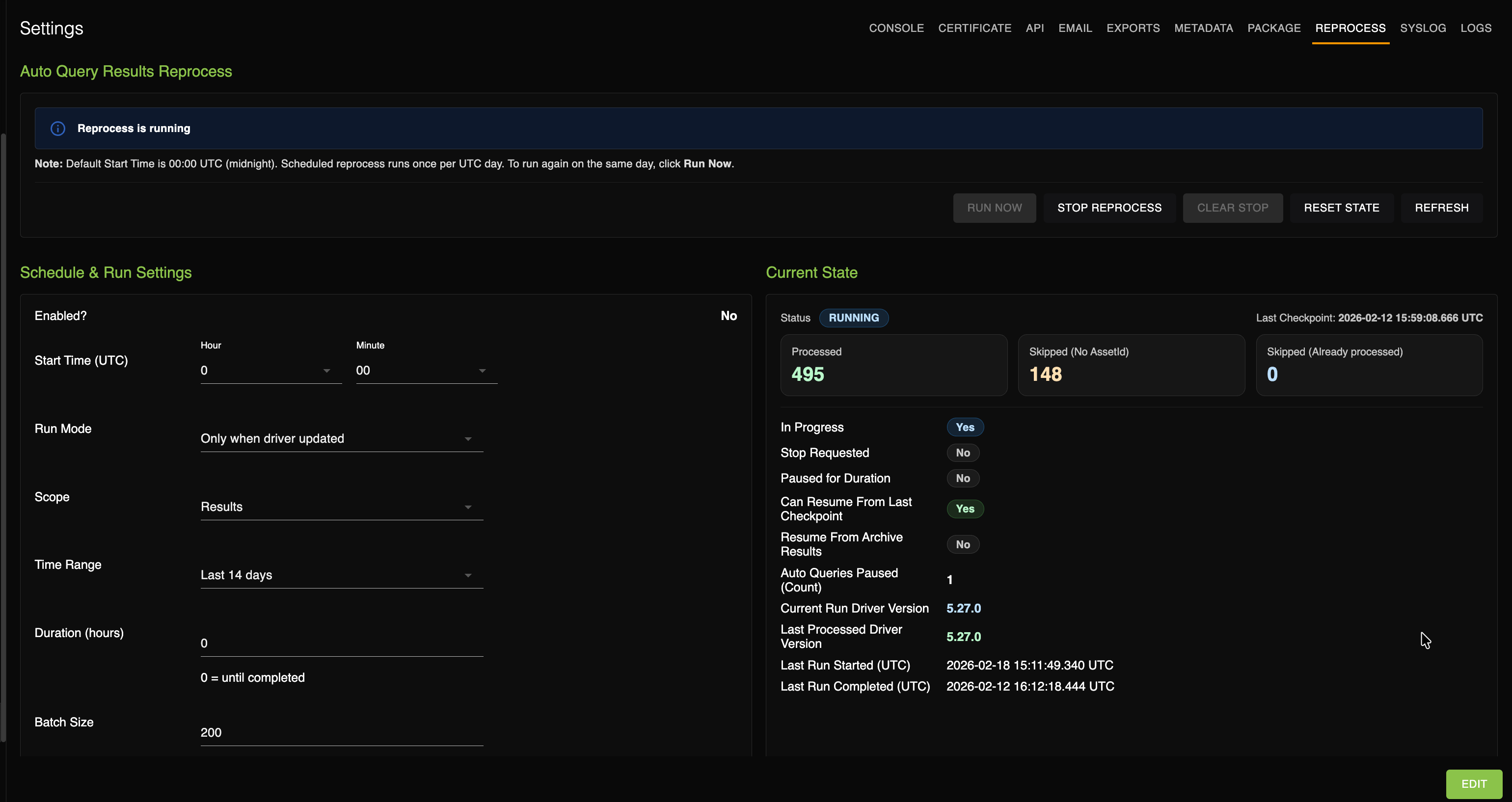
On the Settings page, the Reprocess tab is available to reprocess Auto Query results.
Reprocess feature
The Reprocess feature allows the system to reevaluate previously collected Auto Query scan results using the latest query driver logic. This is useful when a query driver(s) is updated. Instead of rescanning devices, the system reuses existing stored scan results and processes them again. The results display on the Results page.
The Reprocess feature runs based on the configured schedule. As displayed in this table, you can schedule your configuration.
| Setting | Options |
|---|---|
| Start time | Default: 12:00 AM UTC |
| Run Mode |
|
| Scope |
|
| Time range | Last 17 days, Last 30 days, or Custom. Default is the last 14 days. |
| Duration | Until completed or time-limited |
| Batch size | No default. |
| Enable? | Yes / No |
After upgrading to a new query driver version, enable the Reprocess schedule to reevaluate recent scan results using improved logic.