Create alert rules to track the usage of generative AI skills in AI Admin Hub and notify you in the instance and via email, when the set thresholds are reached.
Before you begin
Role required: sn_nowassist_admin
Procedure
-
Navigate to .
-
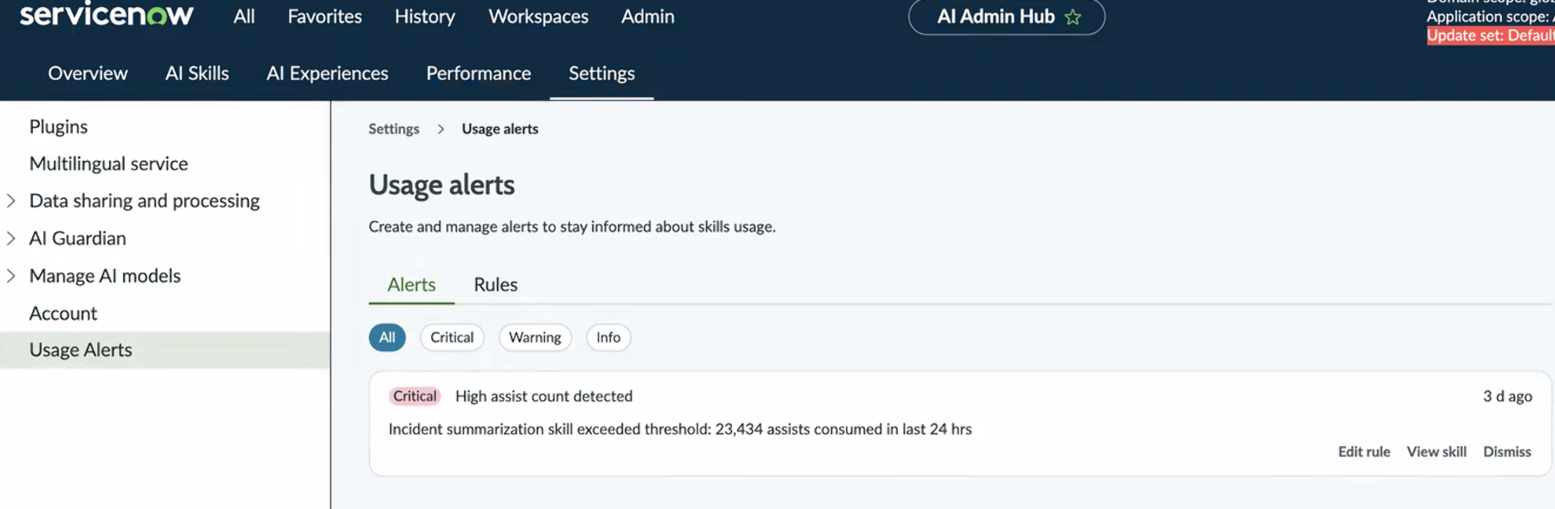
Go to Usage Alerts.
-
Select Alerts to view previously created alerts.
-
Select Rules to view and create alert rules.
-
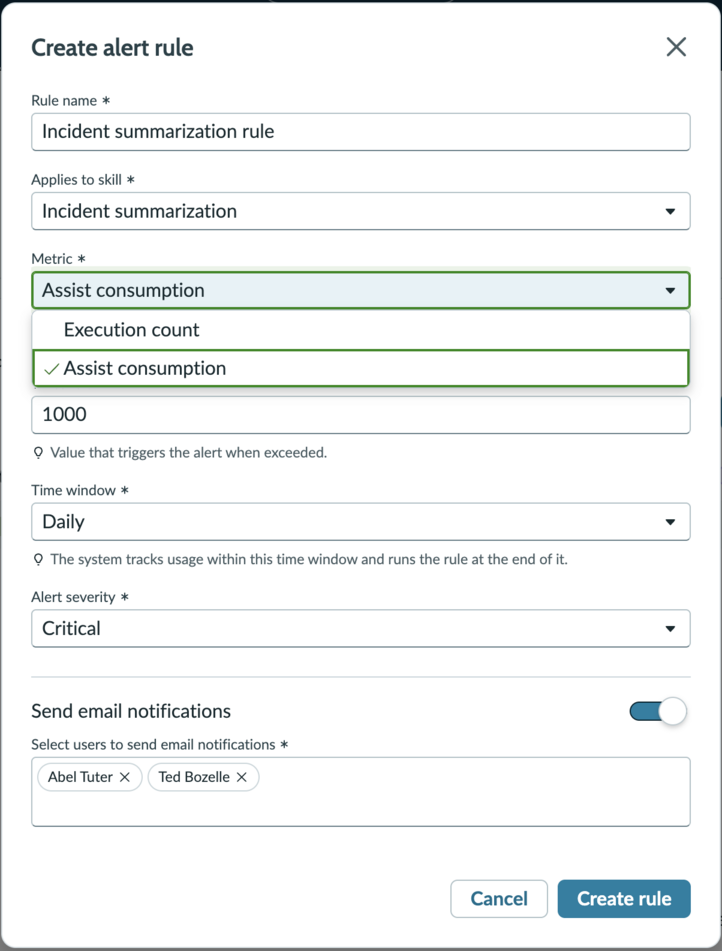
Enter a rule name for the alert you're creating.
-
Select the skill you want to apply the alert rule to.
-
Select the usage metric or the usage criteria.
- assist consumption: assists consumed in the given time frame
- execution count: number of times the affected skill is executed
-
Enter the threshold value for the selected metric.
-
Select an alert timeline window for the rule execution frequency.
For example: If you choose 'daily', the rule will send an alert every day when the threshold is met.
-
Select the severity of the alert notification.
You can choose from All, Critical, Warning or Info type of notification severity. This is displayed with the email notification received.
-
Choose to get notified via email using 'Send email notifications' toggle.
If you opted in, you can select one or more users with an email address.
-
Enter email recipients to be notified with the alert.
-
Select Create rule to submit or Cancel to revert.