Notifications page
The Notifications page shows the notifications available for your Discovery Console for OT Sensors.
You can also add a filter to sort and find Notifications related to the following categories.
- End Date
- Rule
- Rule Type
- Severity
- Status
To filter the notifications, do the following.
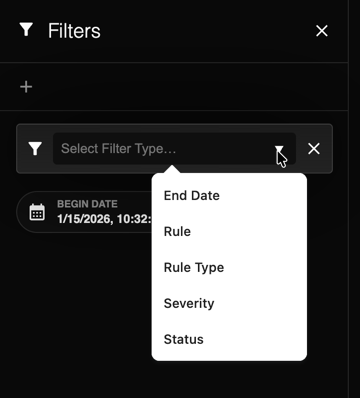
- Select the plus icon
 .
. The Select Filter Type field opens.
- Select a filter from the drop-down menu.
The Notifications are automatically sorted by the selected filter and displayed on the page.