Create an action that intentionally throws an error to test flow error
handling.
Before you begin
Role required: flow_designer, action_designer, or admin
About this task
This custom action throws an error when the action input
value is set to 1. Any other input value allows the action to run without throwing an
error. You can add this custom action to a flow to test flow error handling.
Procedure
-
Navigate to .
The system displays the Workflow Studio landing
page.
-
Select
The system displays the Action Properties dialog.
-
Enter these sample values.
| Field |
Value |
| Name |
Throw an error |
| Application |
Global |
| Accessible From |
All application scopes |
-
Select Build Action.
The system displays the Workflow Studio interface.
-
From the Action Outline, select
The system displays a new action input.
-
Configure the action input with these values.
| Field |
Value |
| Label |
Error Code |
| Type |
Integer |
| Mandatory |
True |
-
From the Action Outline, select Add a new step.
The system displays a list of available steps.
-
Select Script step.
-
From the Input Variables section, select
Create Variable.
-
Configure the variable with these values.
| Field |
Value |
| Name |
code
Note: Make sure that this value is lower case so that it matches the script call reference in the next step.
|
| Value |
Select the data pill [action->Error Code] |
-
In Script, enter this JavaScript code.
(function execute(inputs, outputs) {
  if (inputs.code == 1) {
      throw 'My custom error message'
      }
})(inputs, outputs);
-
Select Save.
-
Select Test.
The system displays the Test Action dialog.
-
Enter the following test value:
-
Select Run Test.
The system runs the action with the test values provided.
-
Select Your test has finished running. View the action execution
details.
The system displays the action execution details.
-
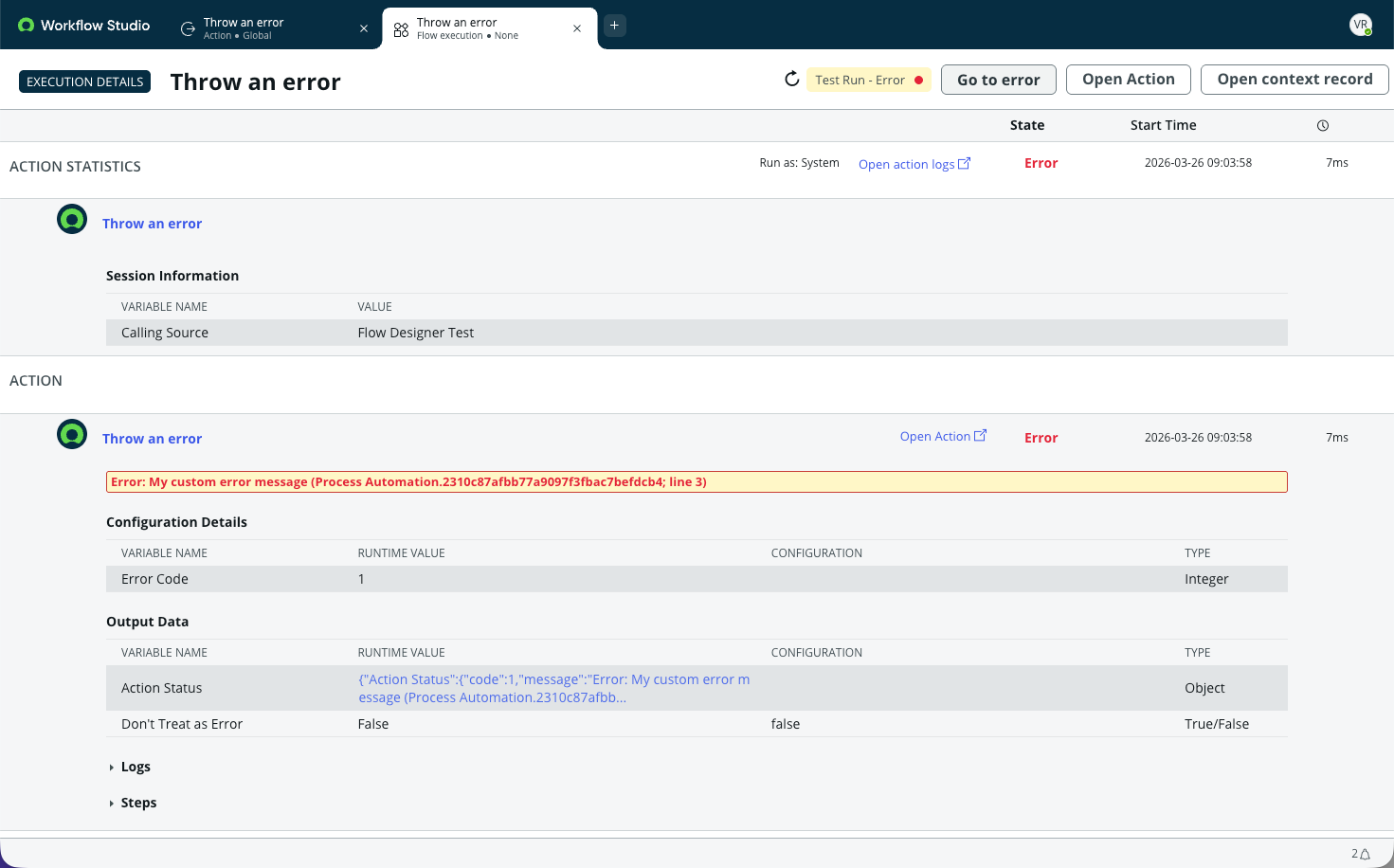
Verify that the action ran the Script step and threw your custom error
message.
The
Action Status object should list an error on line 3
and display the text of your custom error message.
-
Close the action execution details.
-
Select Cancel to stop testing the action.
-
Select Publish to make your custom action available to
your flows.
Result
You have a custom action that throws an error when you set
the action input Error Code to 1.
What to do next
Add this action to a flow to test the contents of the
Error Handler section.