Enable AI agents in the Now Assist panel to help you manage procurement requests more efficiently, with faster response times and smarter support.
Before you begin
Role required: admin
Procedure
-
Navigate to .
-
Under Agentic workflows, select Conversational intake for sourcing and procurement.
If you want to modify this agentic workflow, you can duplicate it, adjust the settings to suit your specific needs, and activate the duplicated version of the agentic workflow.
-
On the Describe and connect page, select Continue.
The Describe and connect page is read-only.
-
On the Defined trigger page, select Continue.
The Define trigger page is read-only.
-
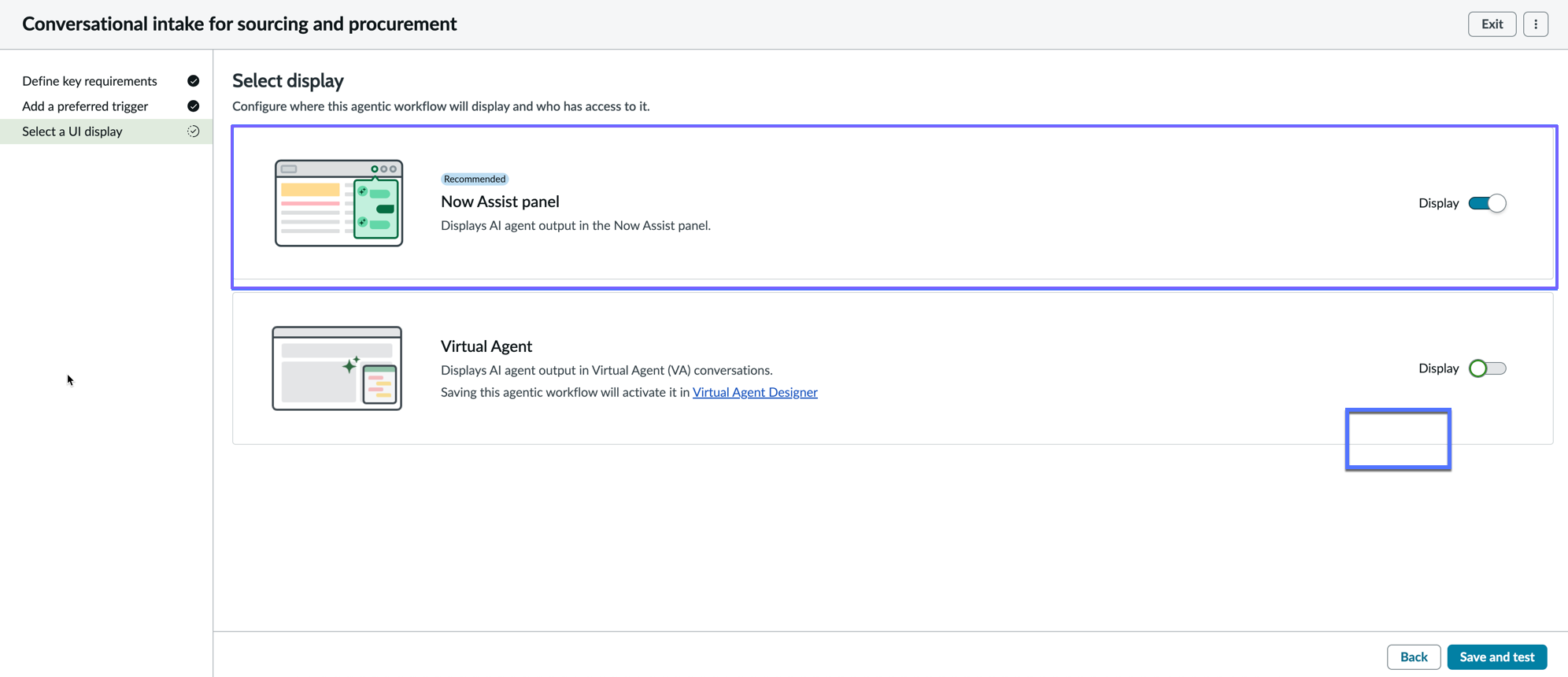
On the Select display page, switch the Display toggle to the open position so that the AI agents are enabled in the Now Assist panel.
-
In the Who can access from the Now Assist panel? field, enter now_assist_panel_user.
In addition to the now_assist_panel_user role, you can assign any role to access the Now Assist panel.
-
Activate the agentic workflow by selecting Save and test.
The AI agents are enabled in the Now Assist panel.