Migrate dashboards that you own
Migrate dashboards that you own, including reports, interactive filters, and Performance Analytics widgets to Platform Analytics experience.
Before you begin
Role required: You can migrate any dashboard you own. Users with admin or dashboard_admin roles can migrate any dashboard.
About this task
Note:
You cannot use update sets to move the migrated material from a non-production instance to a production instance. Test the migration on the non-production instance and then use Migration
Center functionality to migrate the production instance.If content on a dashboard is used in only one dashboard, it will be available only on that dashboard after migration. If it is used in more than one dashboard, that content
is migrated to the Platform Analytics experience library.
Procedure
-
Navigate to .
Result
The migrated dashboard appears in the Platform Analytics library. Links to the original Core UI dashboard redirect to the library as well.
What to do next
Verify that the migrated dashboard has all the features of the Core UI dashboard, either as fully migrated content or as iframed content. For more information, see Unmigrated content and compatibility mode migrations.
To roll back a migrated dashboard, select the More actions menu ( ) and choose Switch to the Core UI.
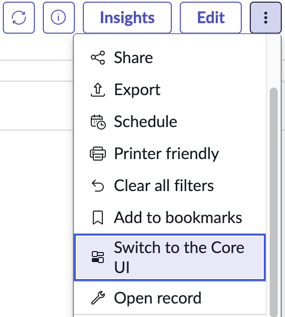
) and choose Switch to the Core UI.