Set up OAuth 2.0 Authorization Code for Bitbucket Cloud
Set up OAuth 2.0 Authorization Code credentials for Bitbucket in DevOps Change Velocity to use a more secure authentication method.
Before you begin
The OAuth consumer must be created in the Bitbucket tool with the required permissions before creating the OAuth credential record. You can navigate to Workspace settings > OAuth consumers > Add consumer in Bitbucket to add the OAuth consumer. The following permissions must be selected when you create the credentials for OAuth 2.0. 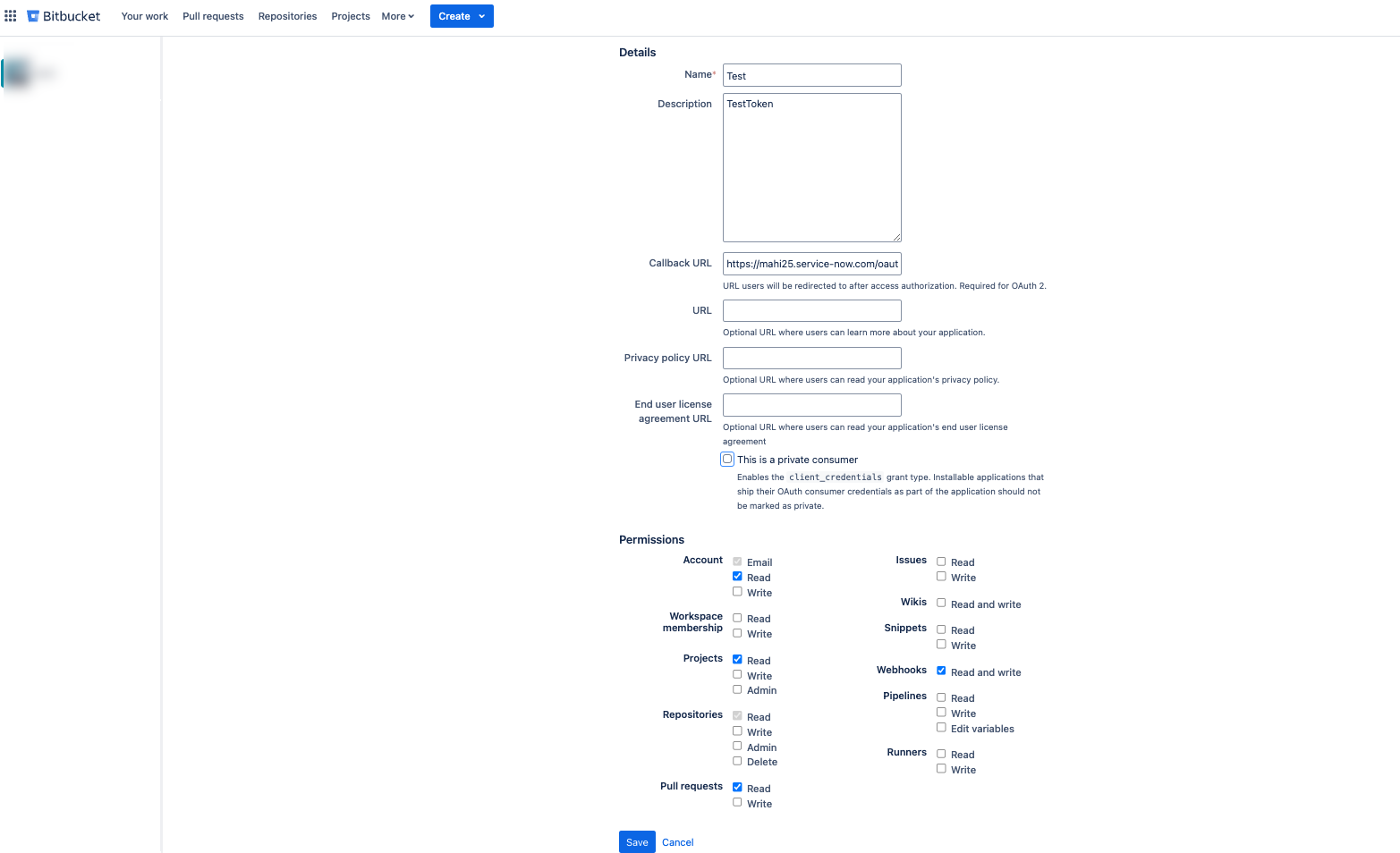
You need the Client Id and Client secret values of your Bitbucket workspace. Client ID of your Bitbucket tool is available in the OAuth consumers section of your workspace settings (Workspace settings > OAuth consumers > Add consumer) in the Key field.
Client secret of your Bitbucket tool is available in the OAuth consumers section of your workspace settings (Workspace settings > OAuth consumers > Add consumer) in the Secret field.- Account: Read
- Projects: Read
- Webhooks: Read and write
- Pull requests: Read
https://<instanceurl>/oauth_redirect.doRole required: admin
About this task
When you select the credential type as OAuth 2.0 - Authorization Code for Bitbucket Cloud, the repositories for all the workspaces are discovered. This is a limitation from Bitbucket side.
Procedure
-
Leave the rest of the form fields as default.